
HubSpot
TrueDialog Integration
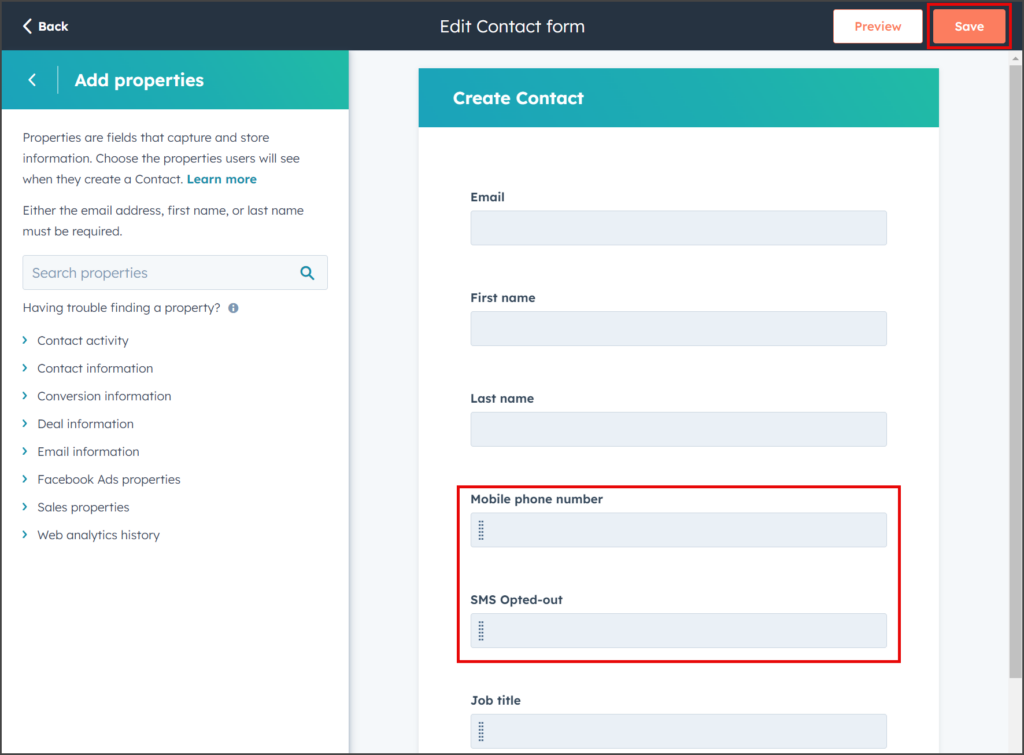
This article provides instructions on adding the Mobile Phone Number and SMS Opted-out properties to the Create Contact process. These properties are essential for sending messages using TrueDialog. After following the steps below, you can enter these properties when creating a new contact.
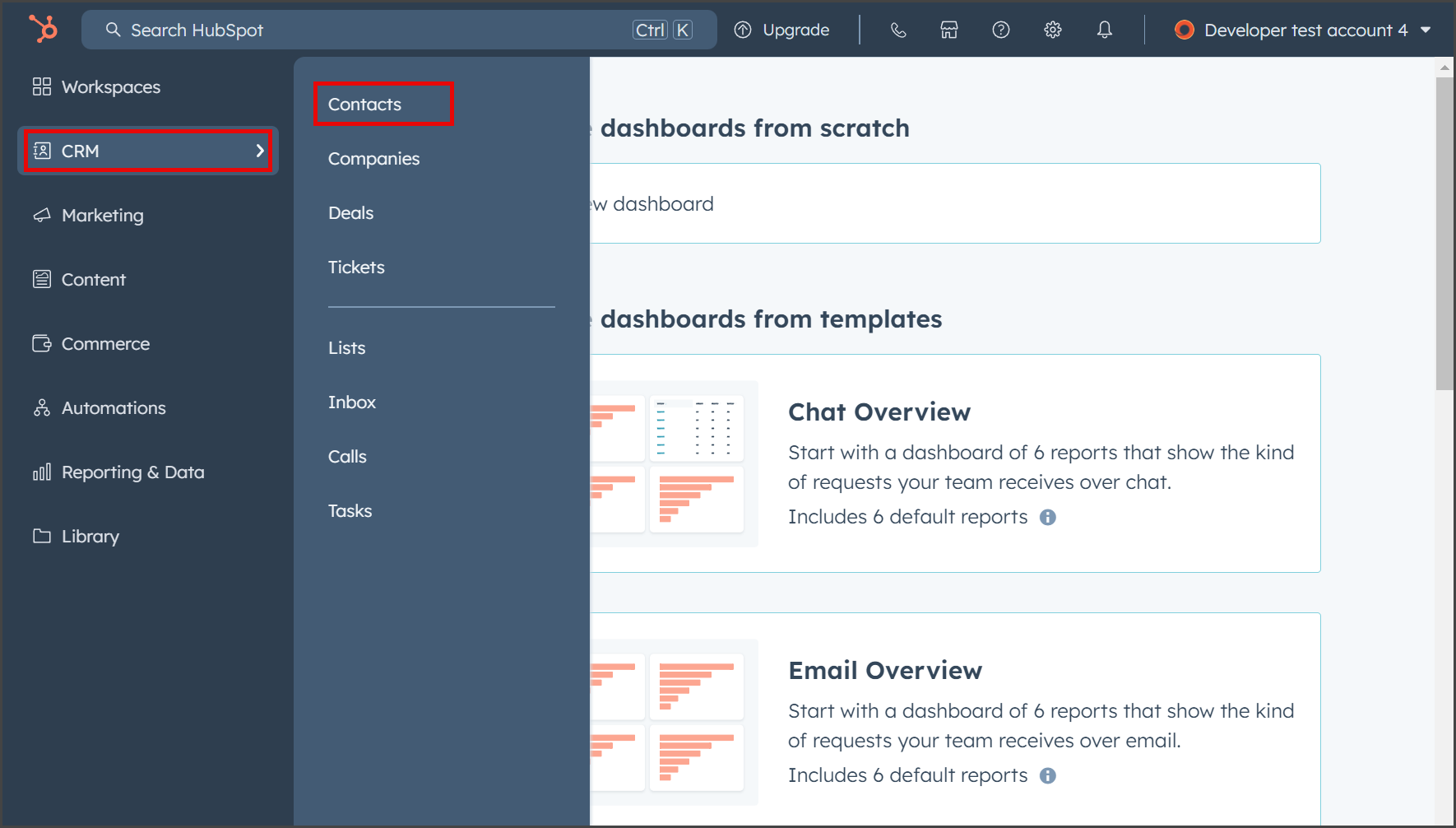
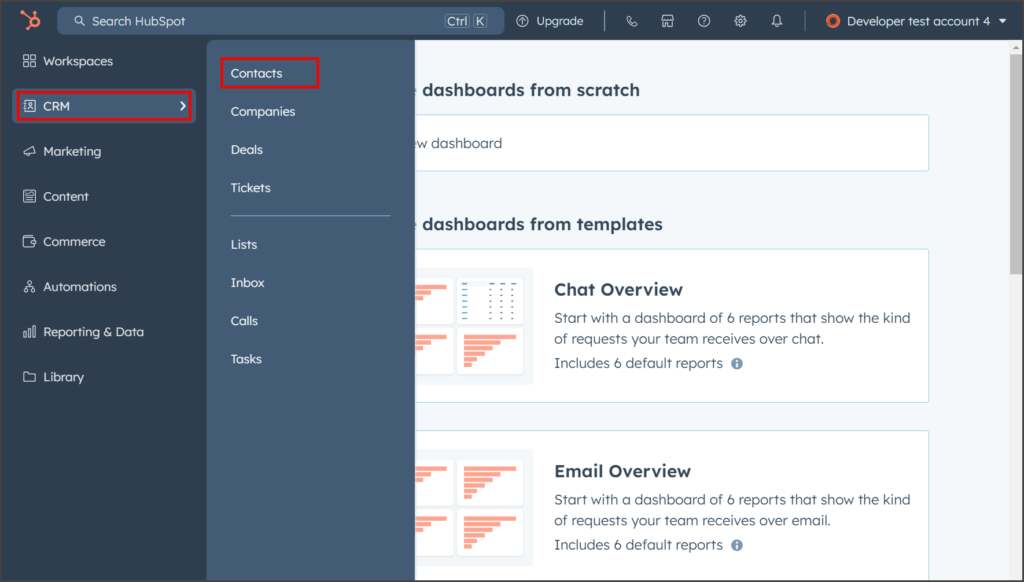
- From the left sidebar, expand CRM and click Contacts.
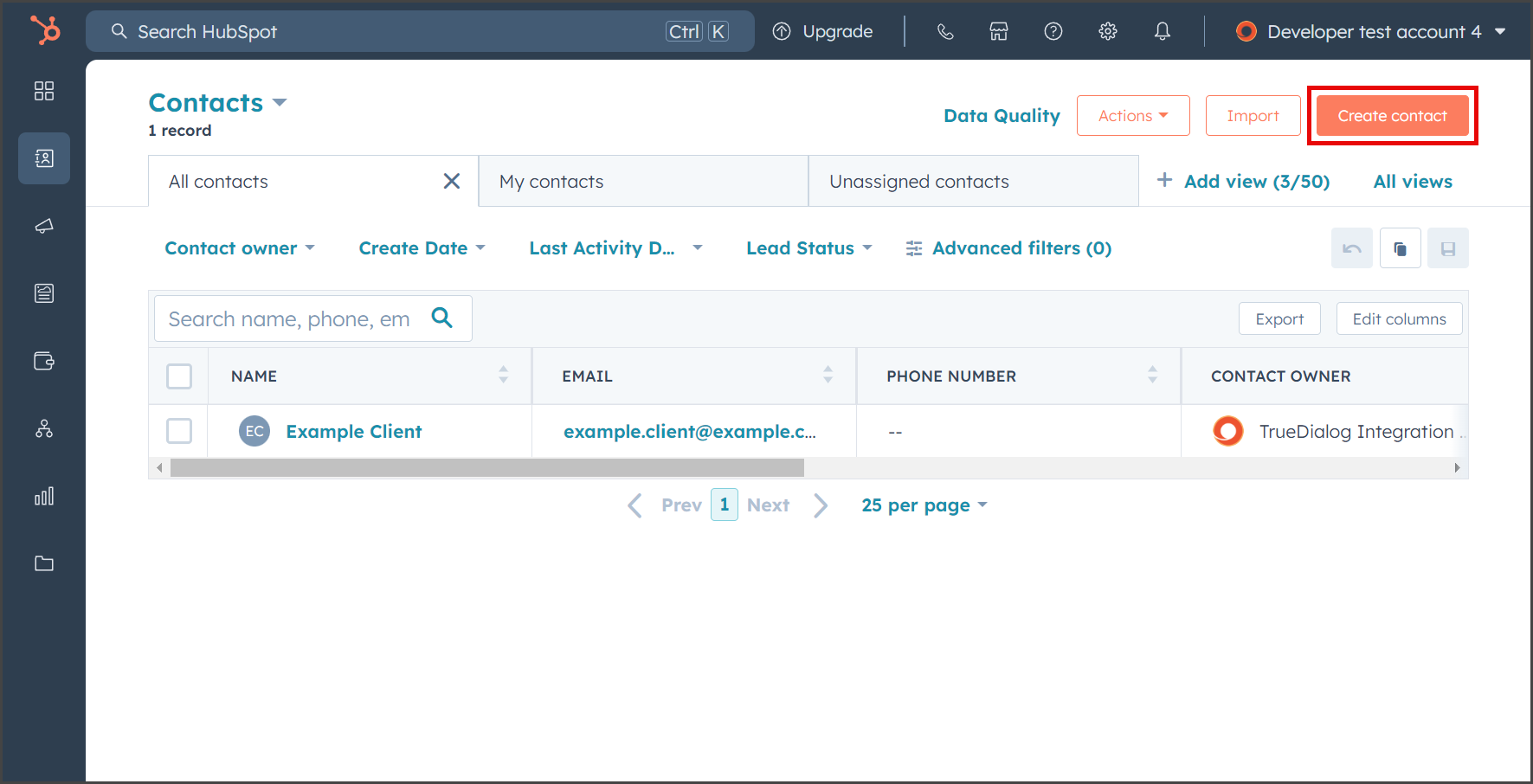
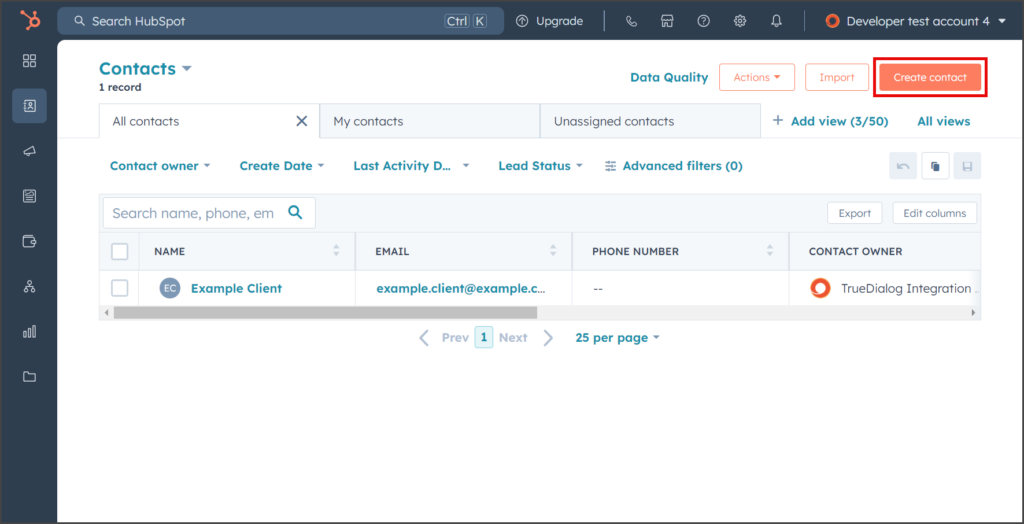
- Click Create contact.
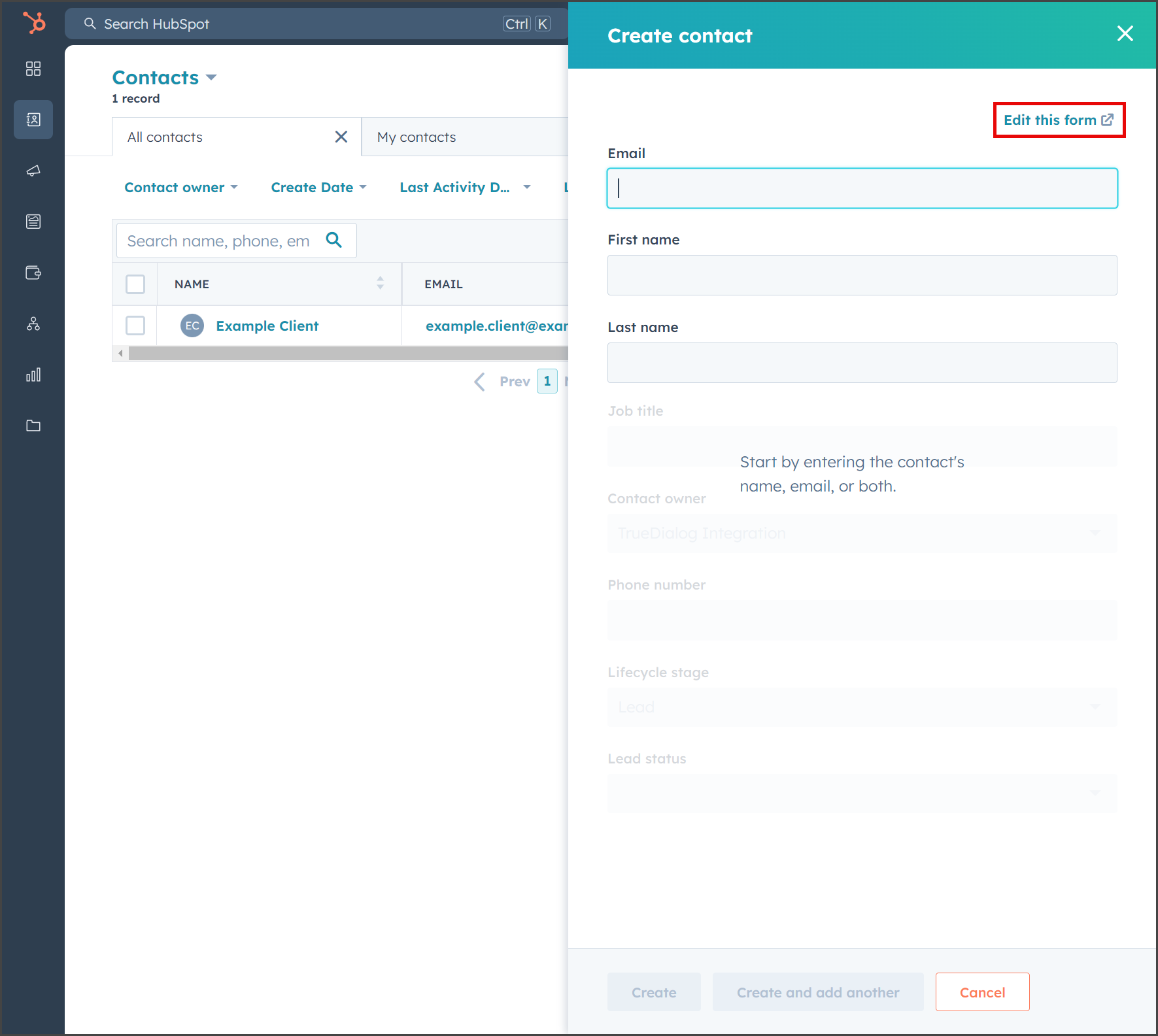
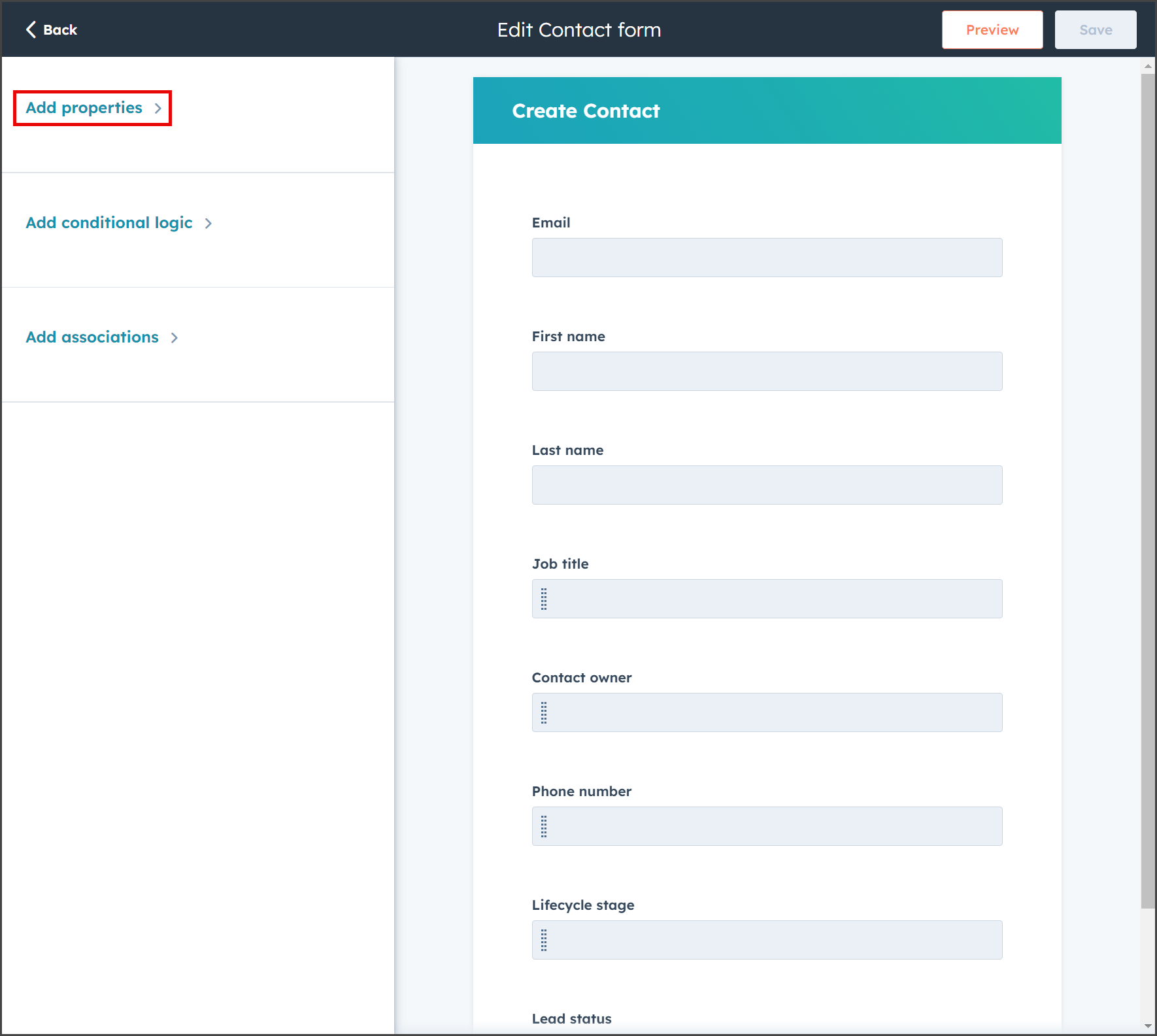
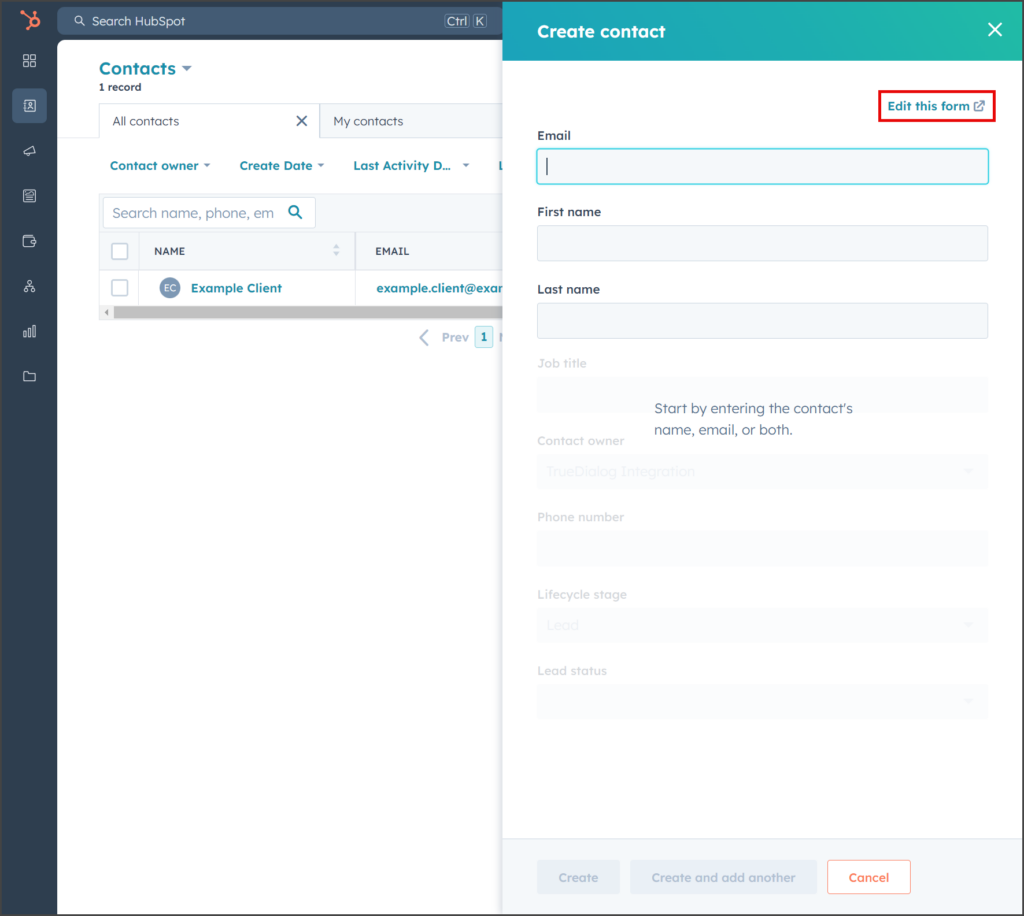
- Click Edit this form.
- Expand the Add properties section.
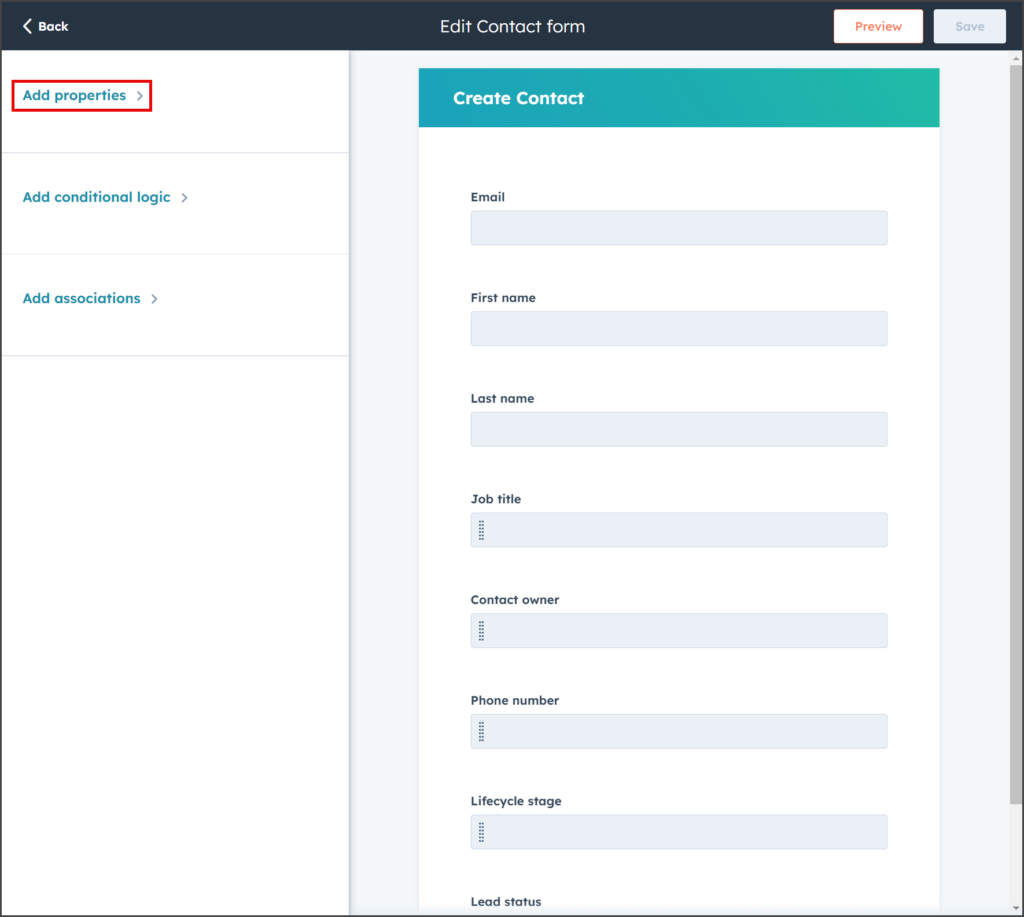
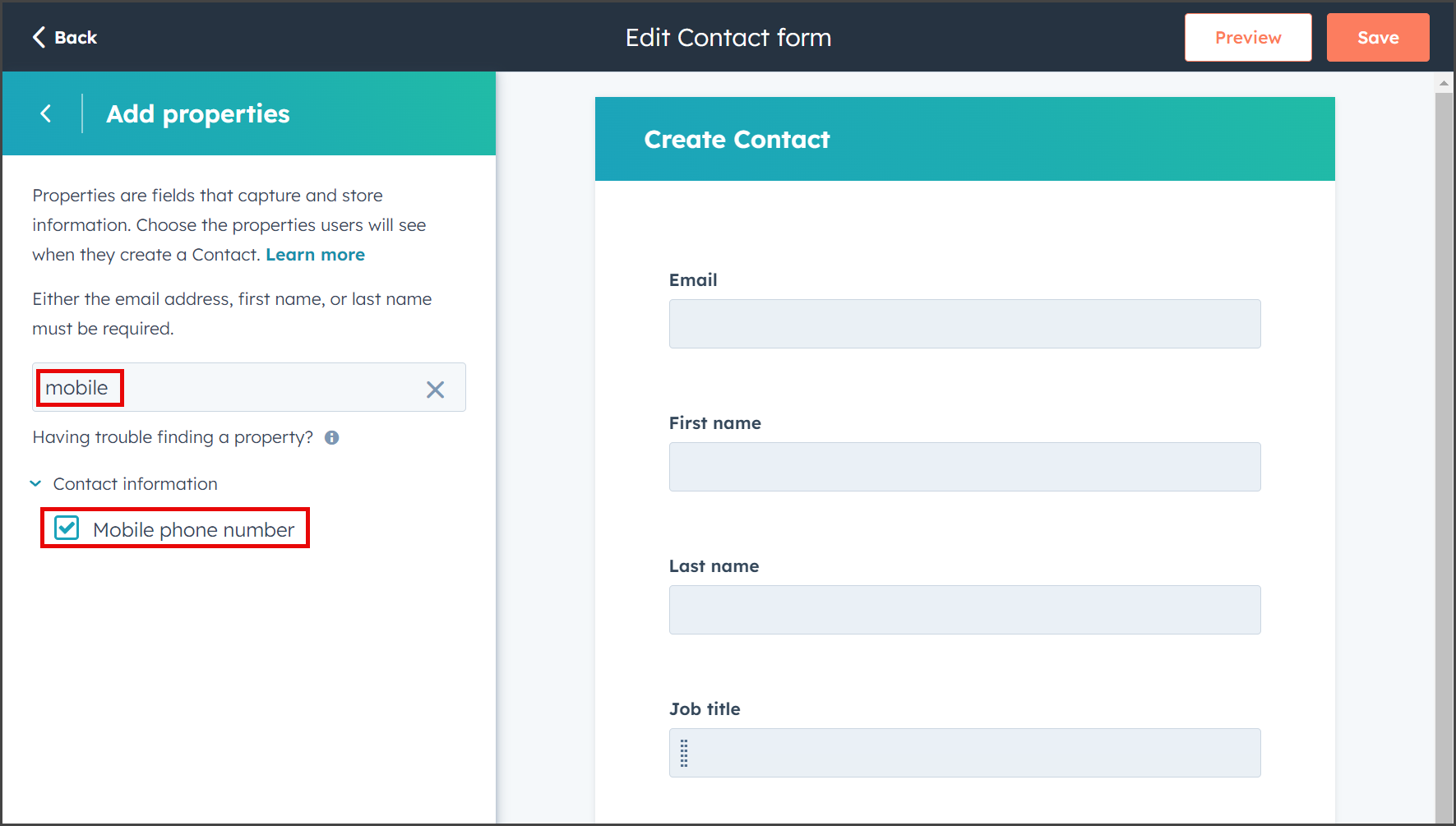
- Enter mobile in the search box.
- Check Mobile phone number.
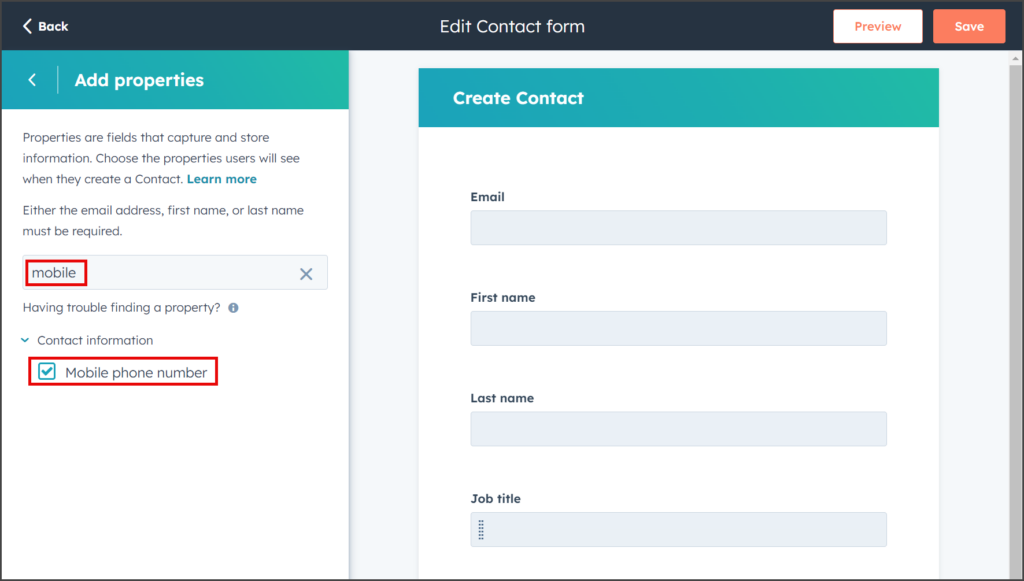
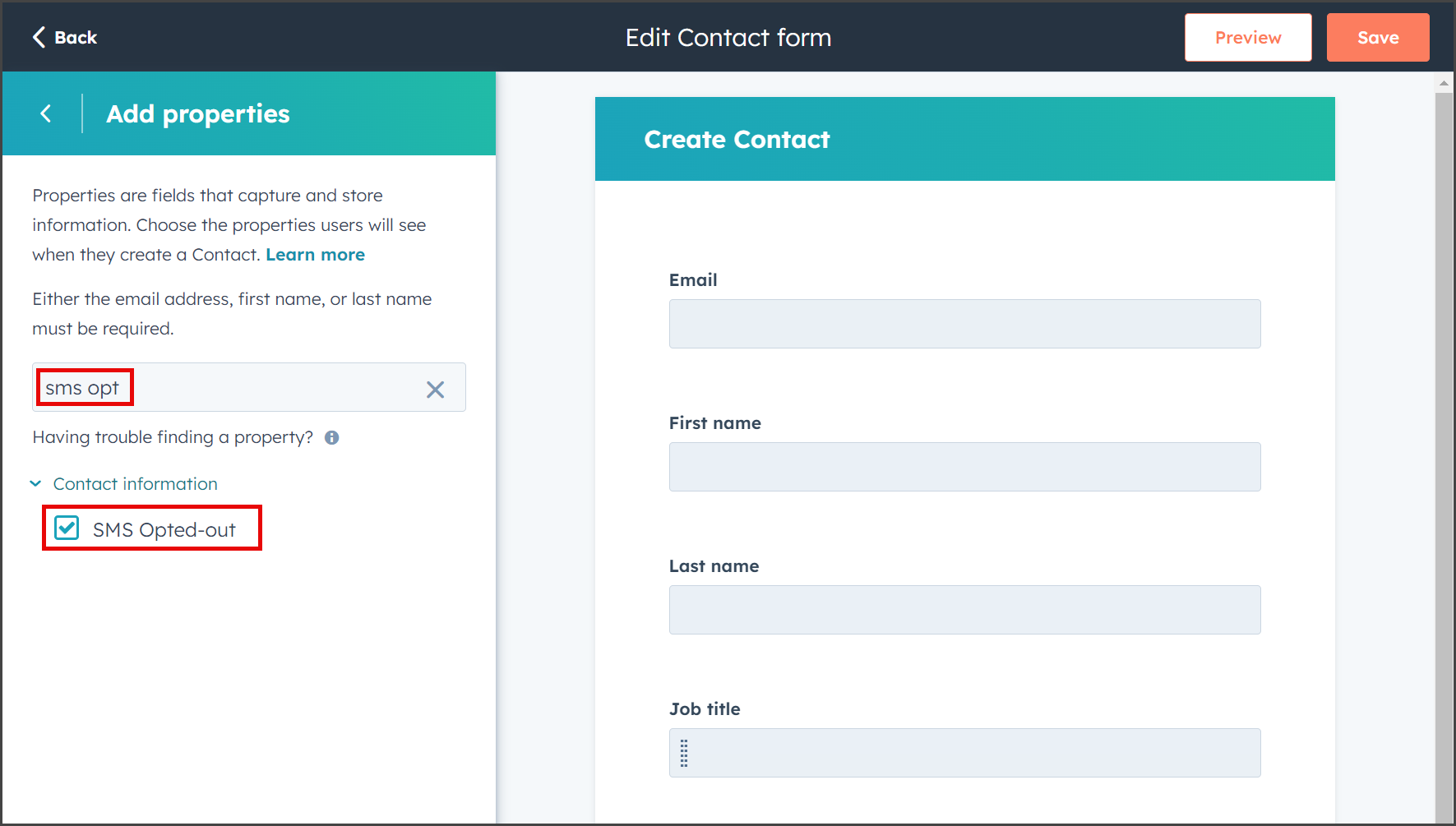
- Enter SMS opt in the search box.
- Check SMS Opted-out.
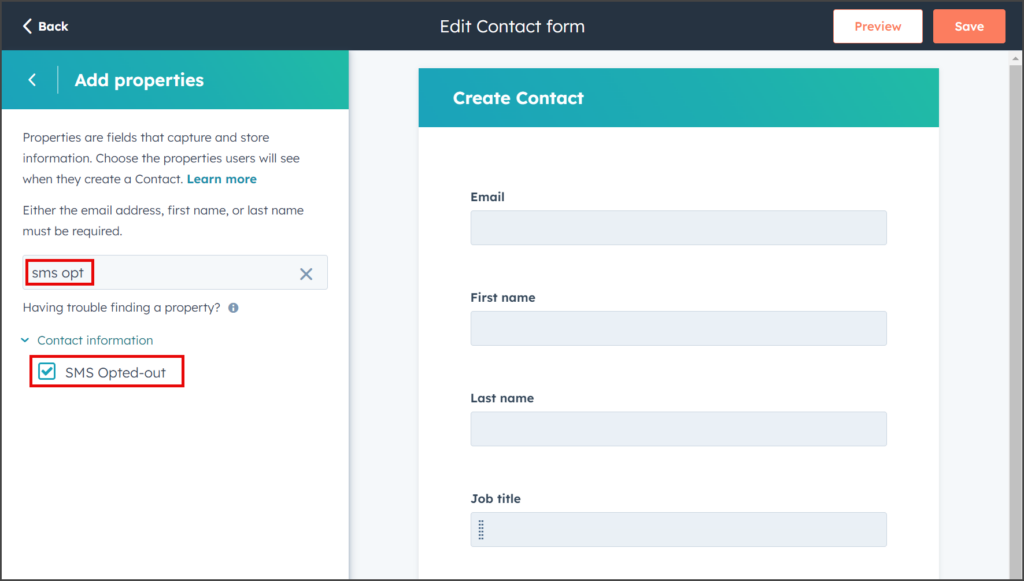
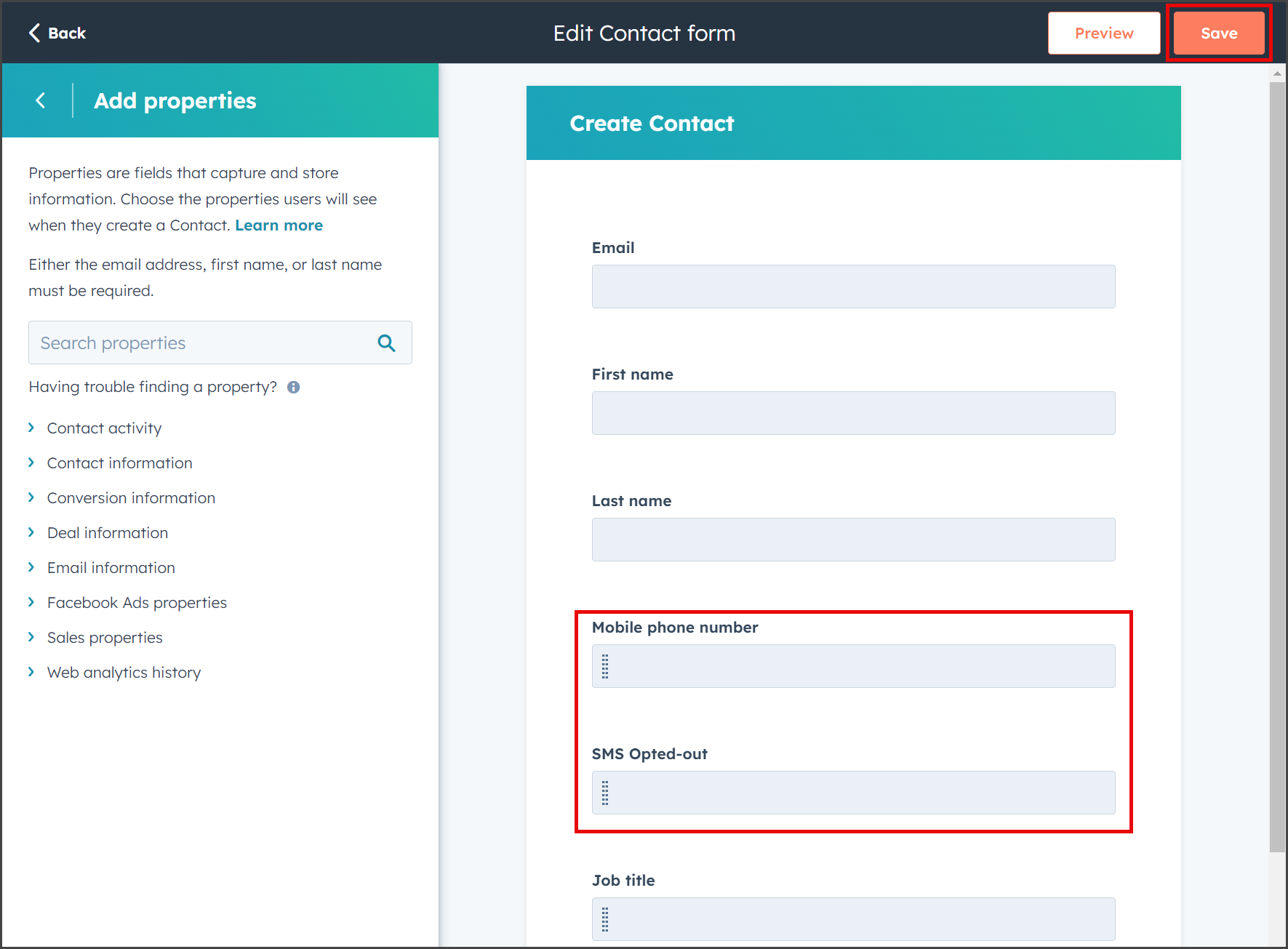
- (Optional) Drag the Mobile phone number and SMS Opted-out properties to the top of the list.
- Click Save.