
Salesforce
TrueDialog Integration

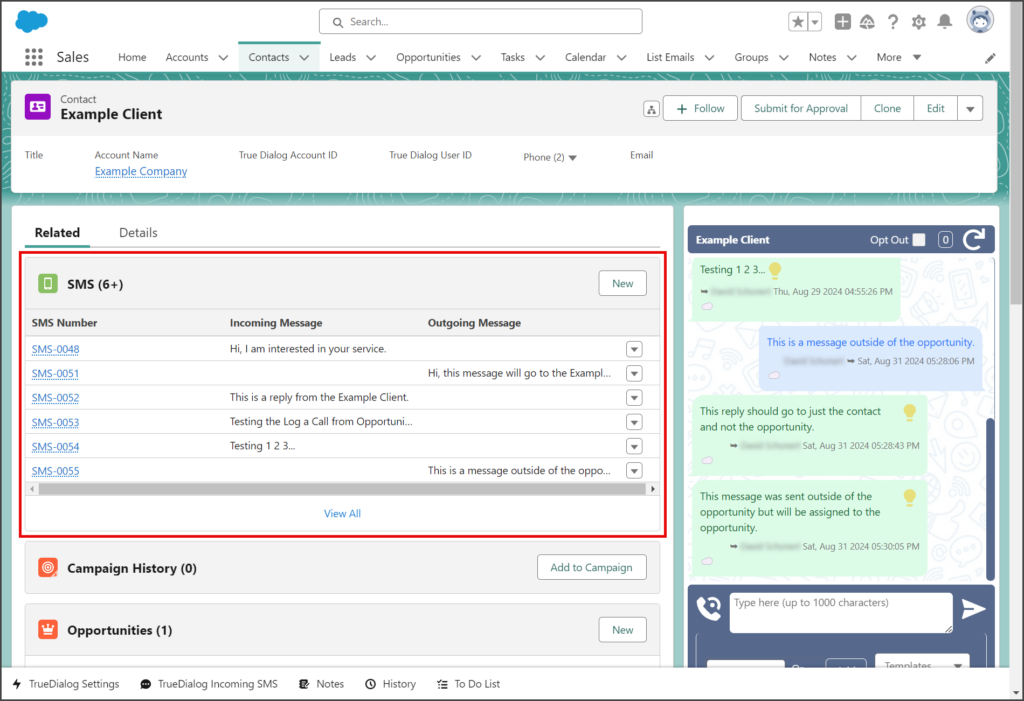
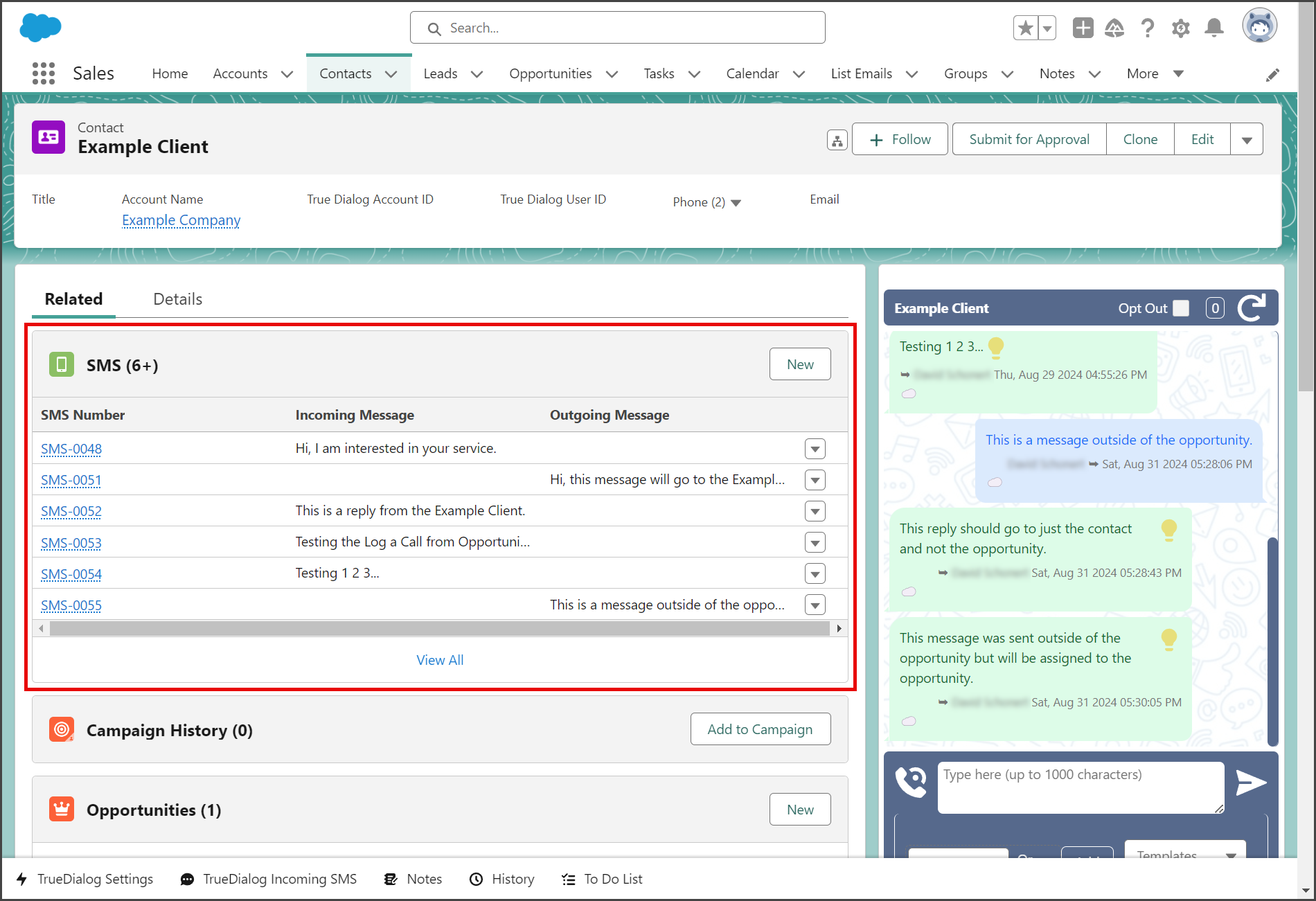
This article shows how to add a list of SMS records for a record to the Related Lists of that record’s page.
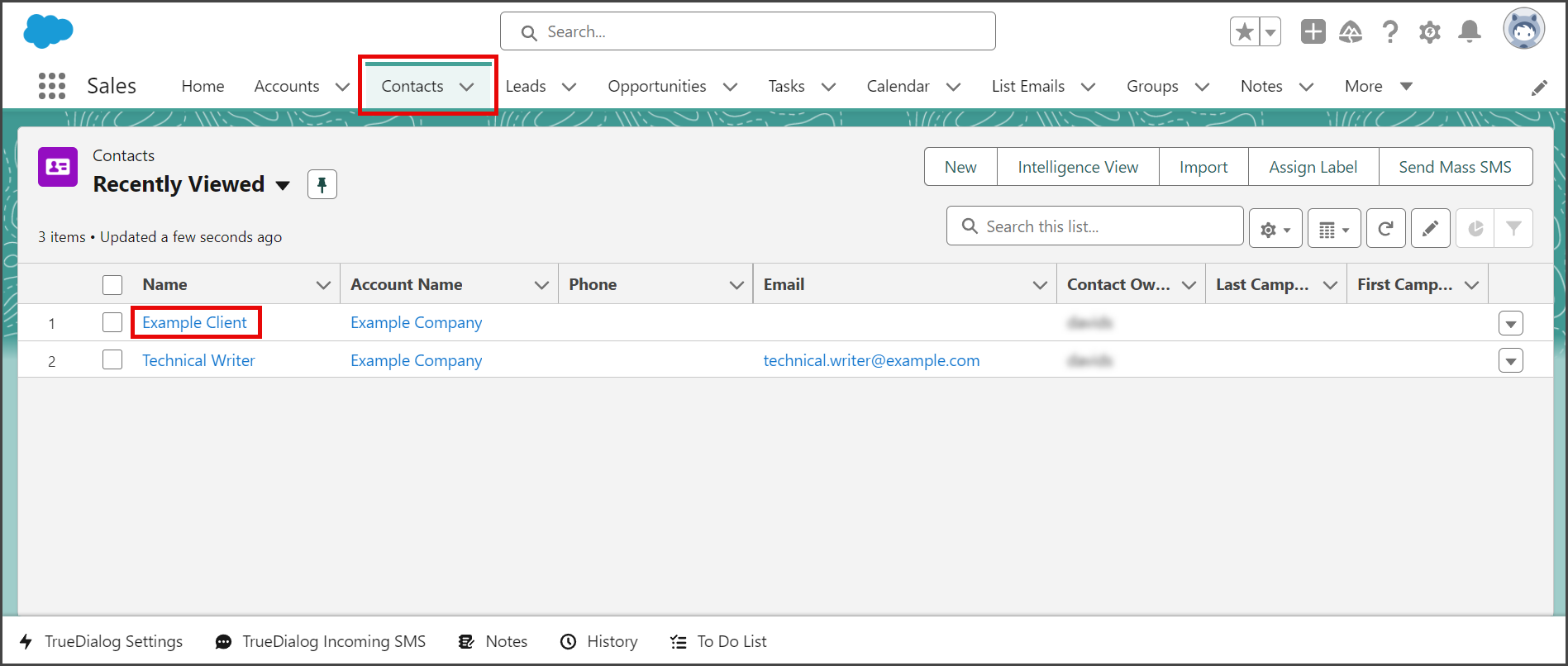
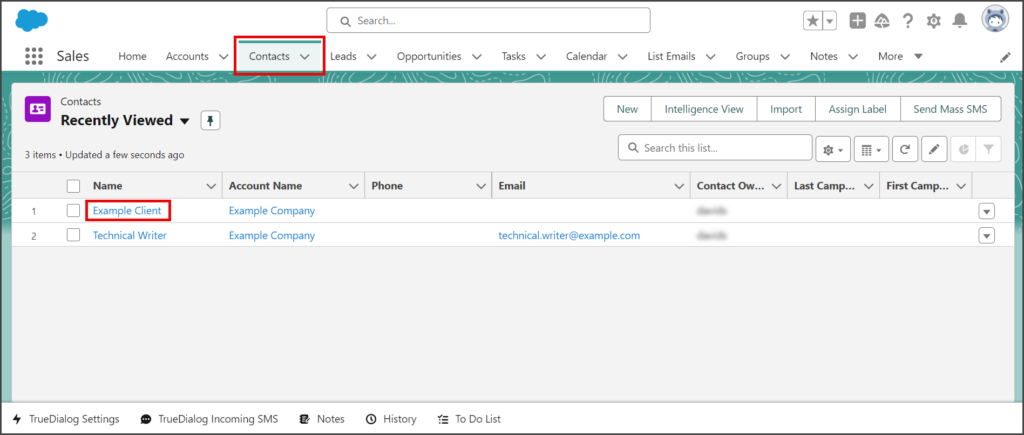
- Select the Contacts tab.
- Click one of your contacts.
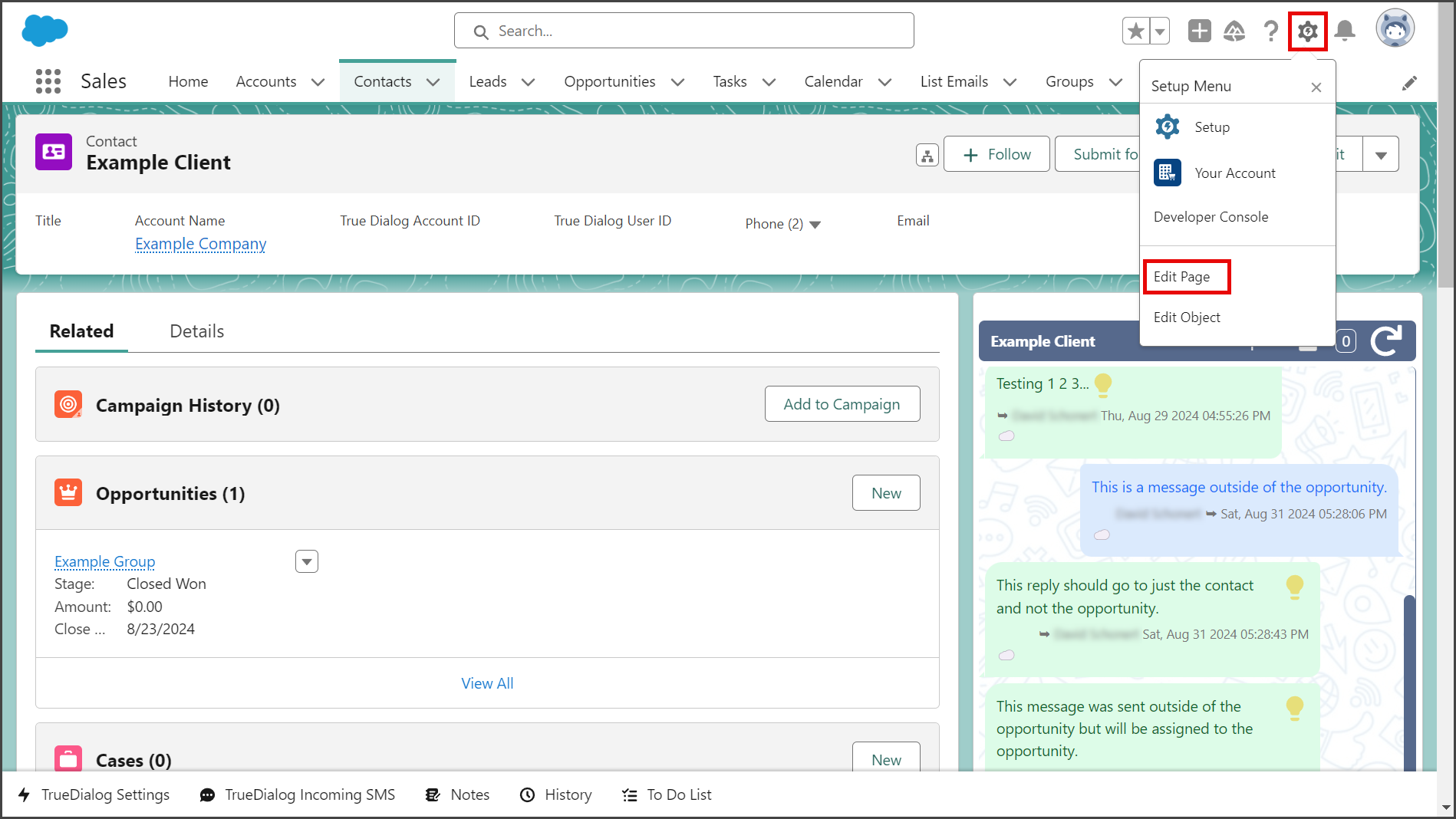
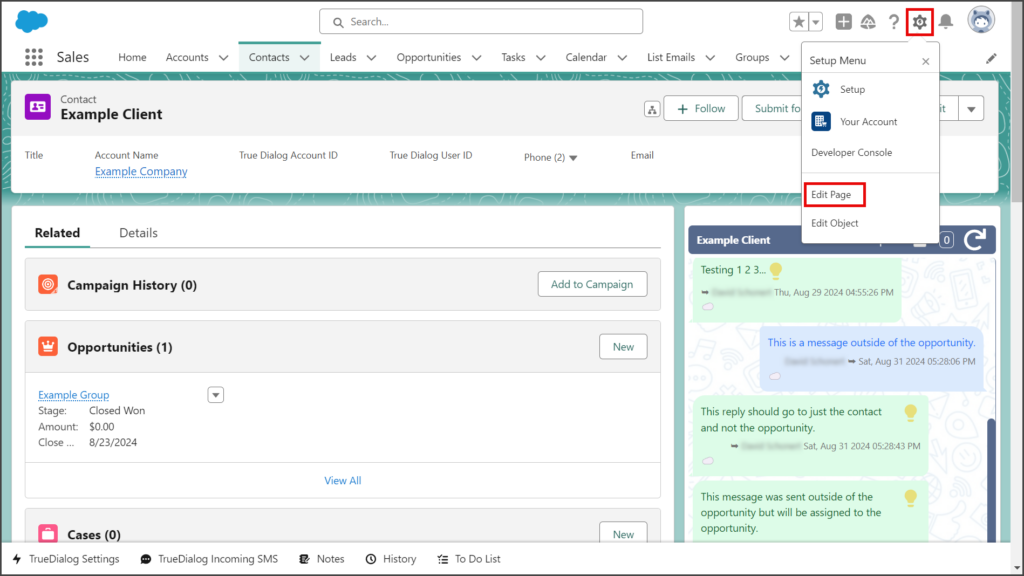
- Click the Settings Gear icon to open the settings menu.
- Click Edit Page.
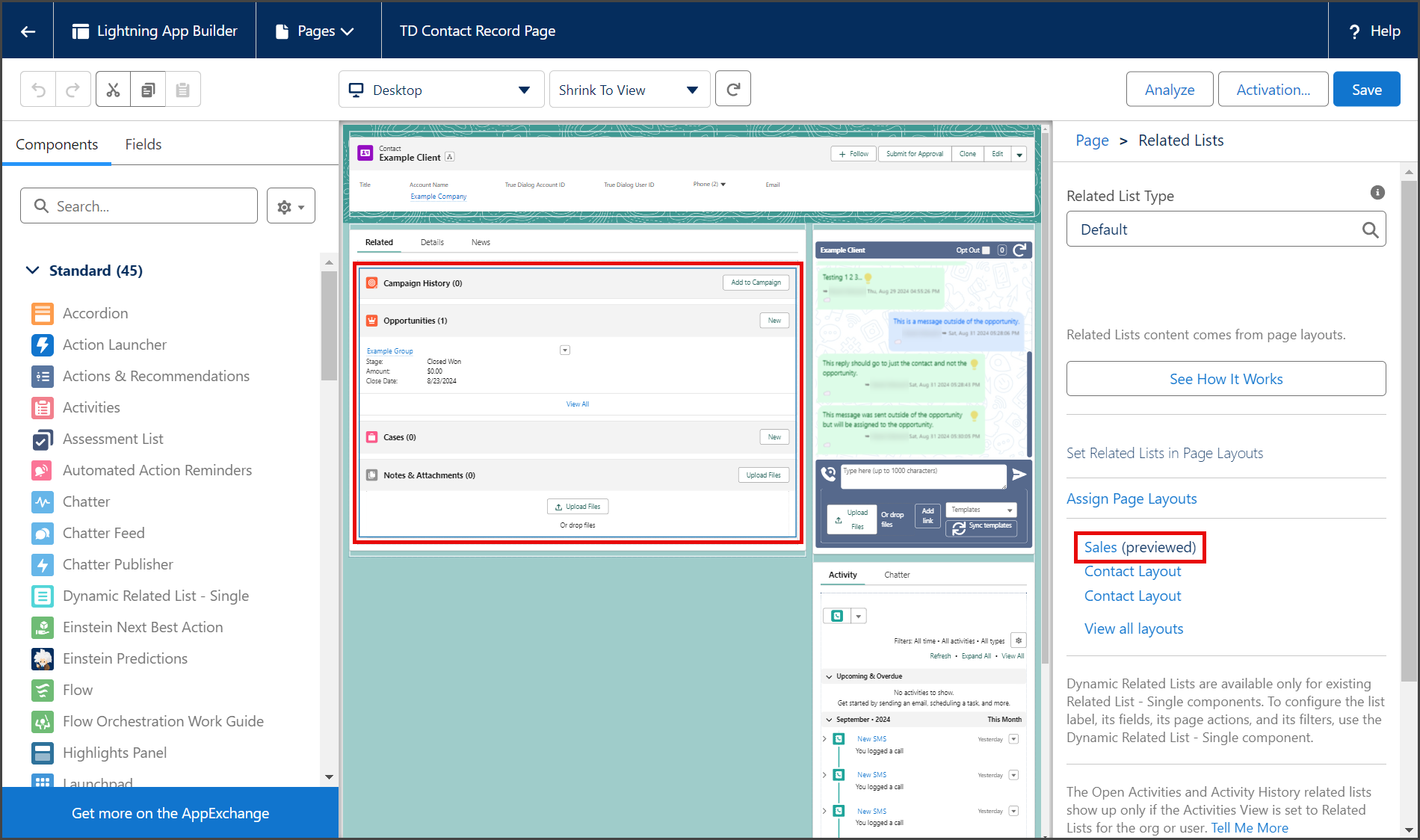
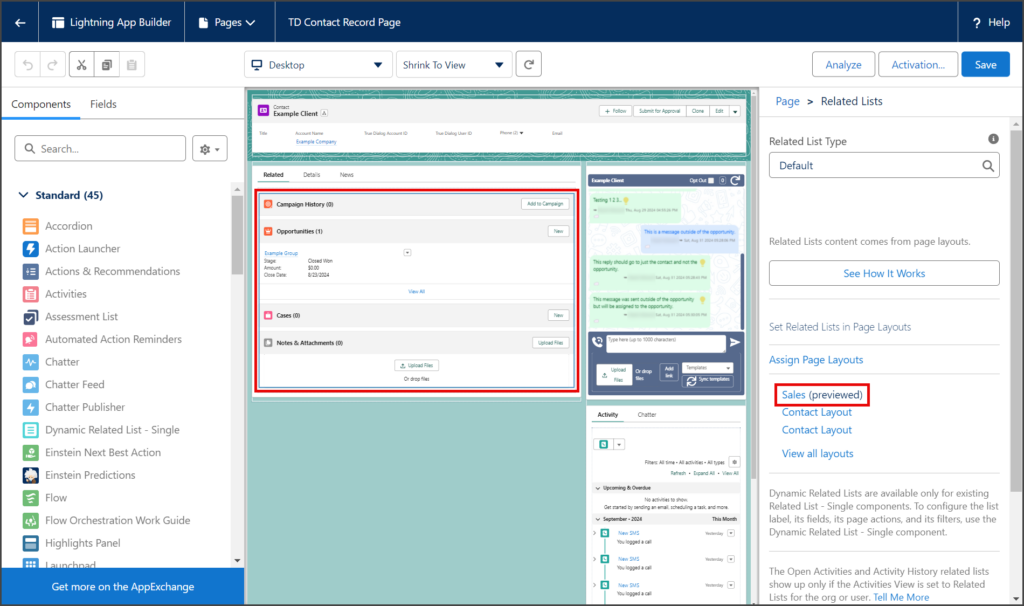
- Click the Related Lists section on the preview page.
- Click the Page Layout to edit. This example is using the Sales layout.
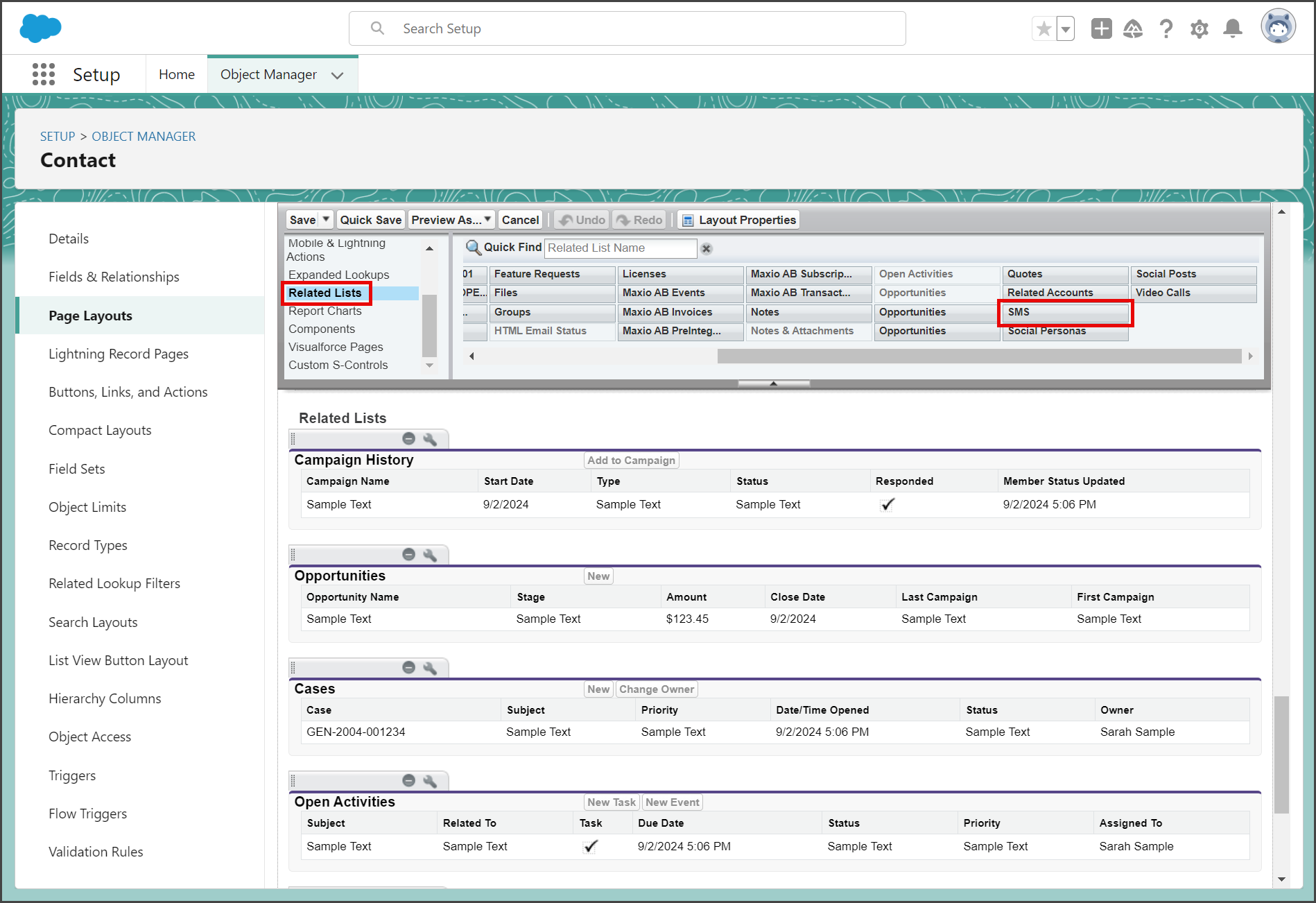
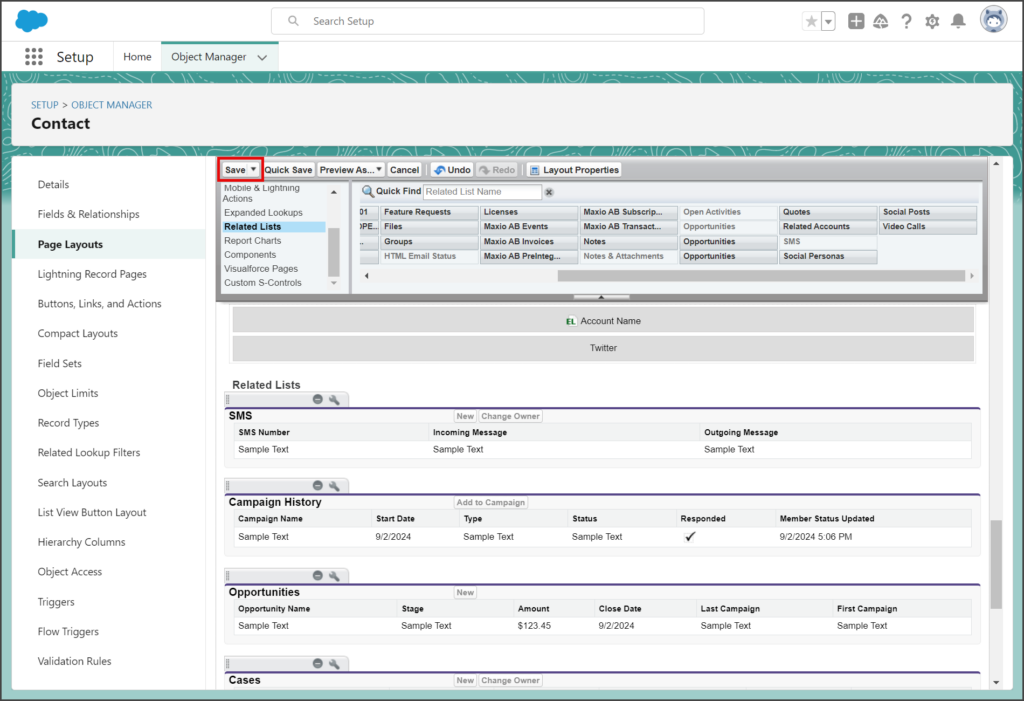
- In the Contact Page Layout Tool Bar, click Related Lists.
- Find the SMS Related List.
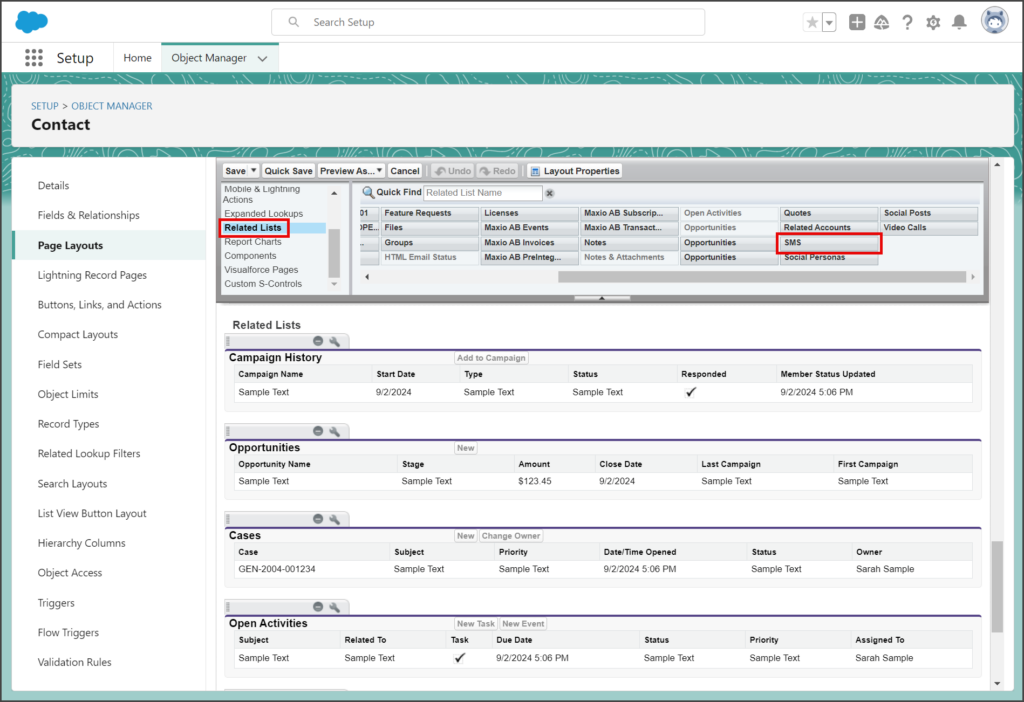
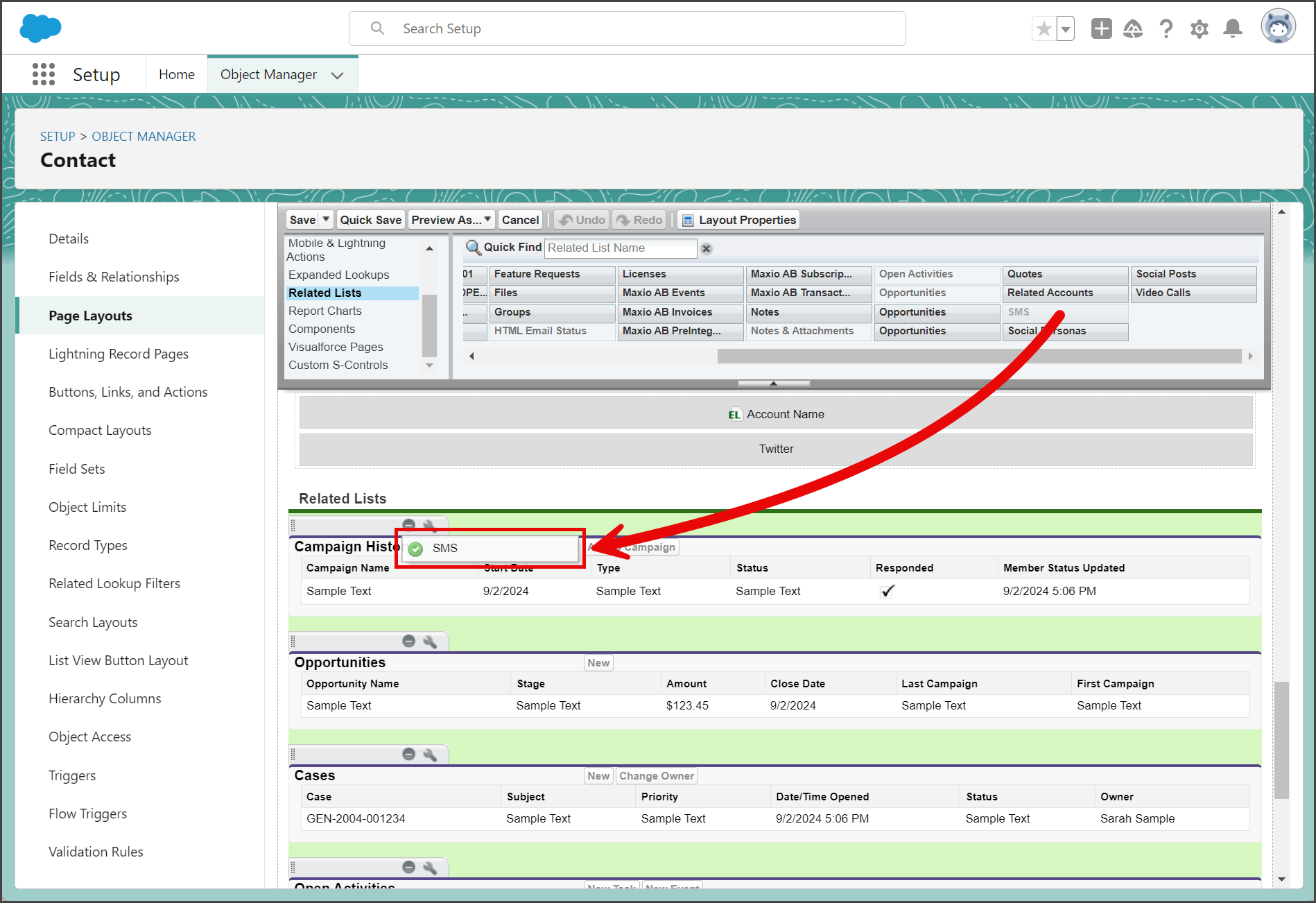
- Drag and drop SMS to the Related Lists section.
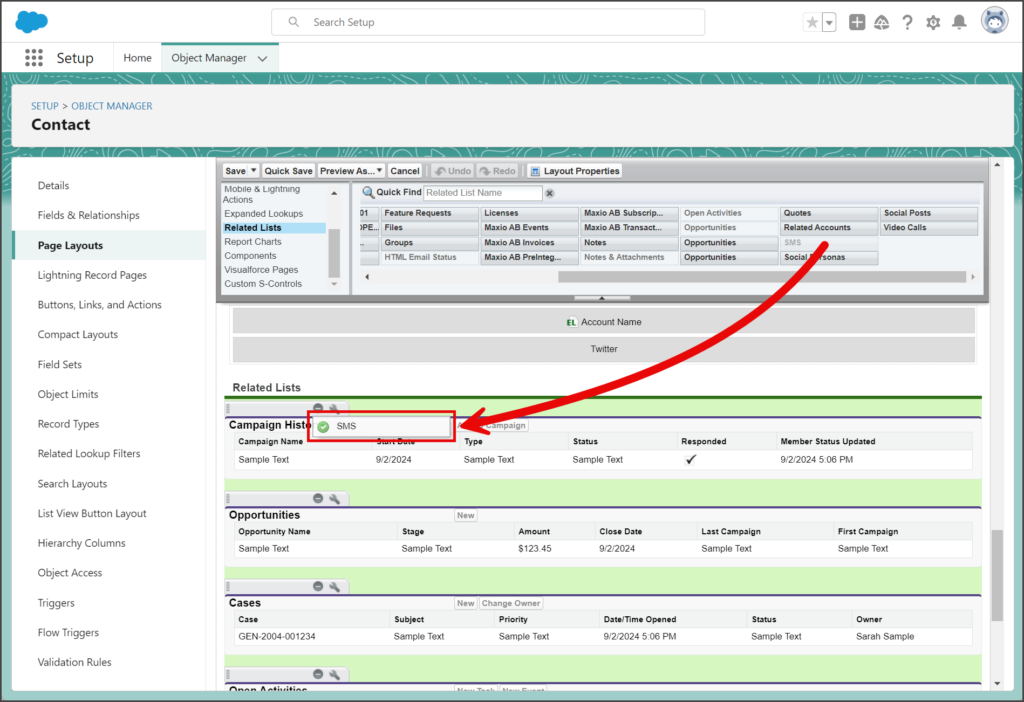
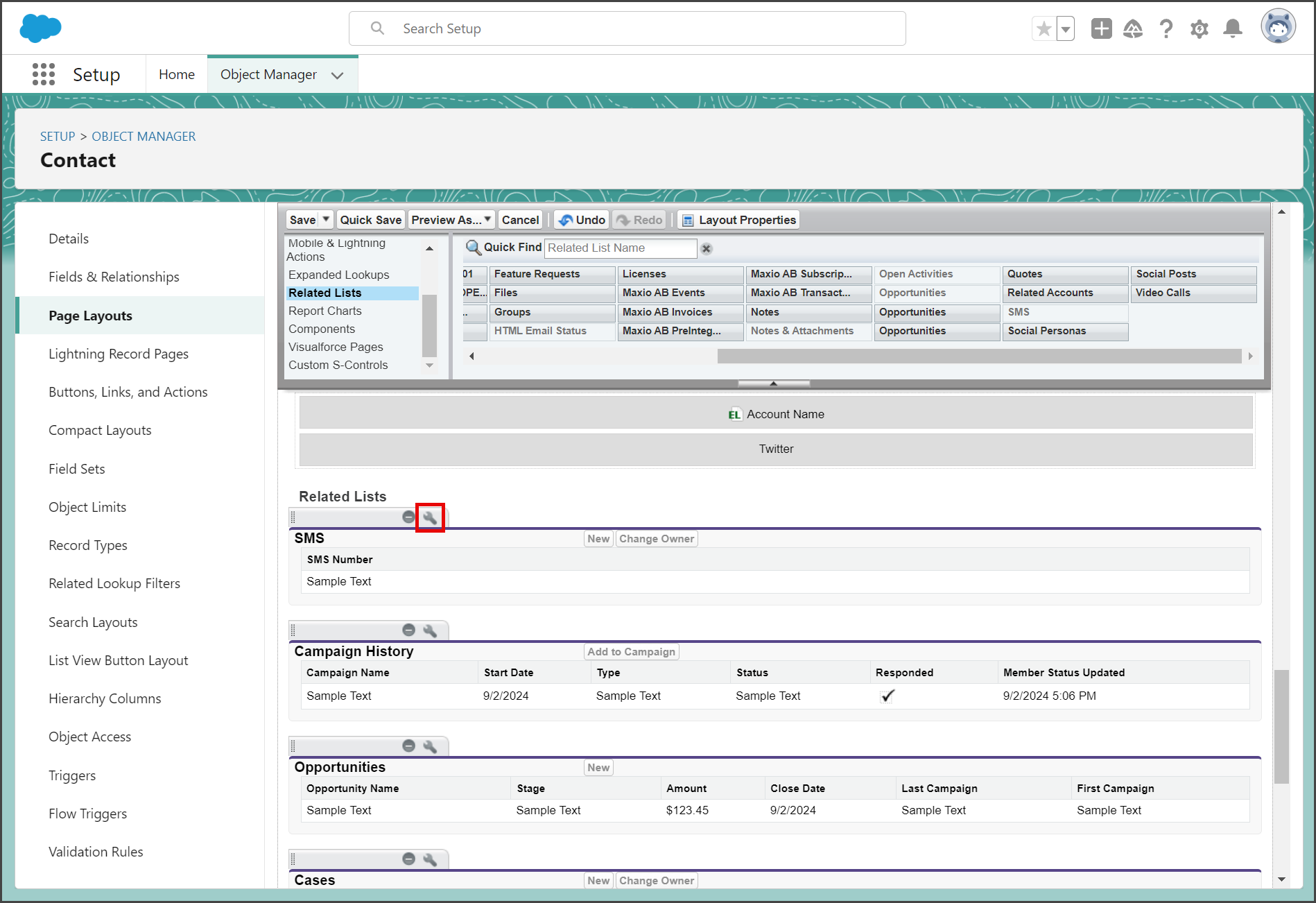
- (Optional) Click the Wrench icon for the SMS Related List to configure the displayed fields.
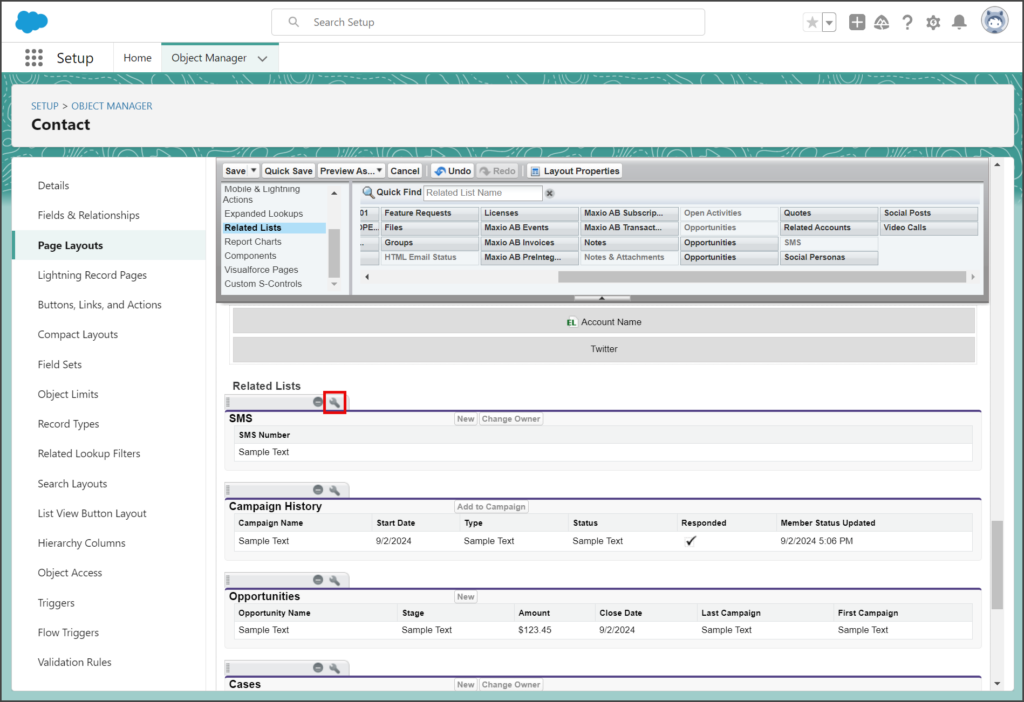
- Add or Remove any of the Available Fields.
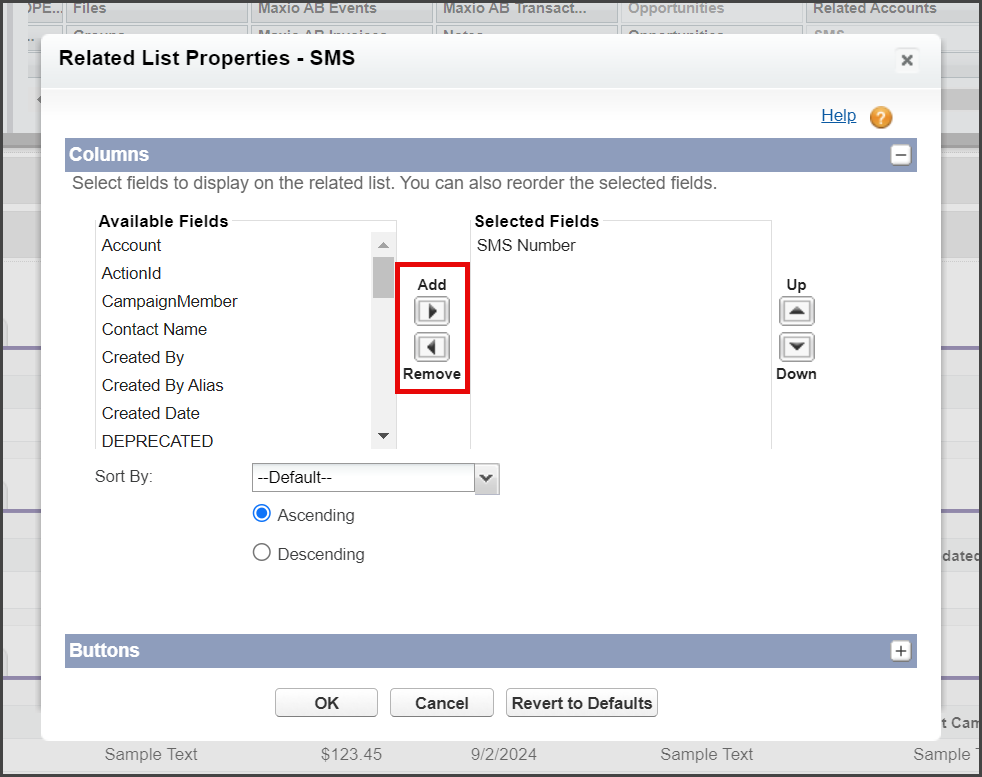
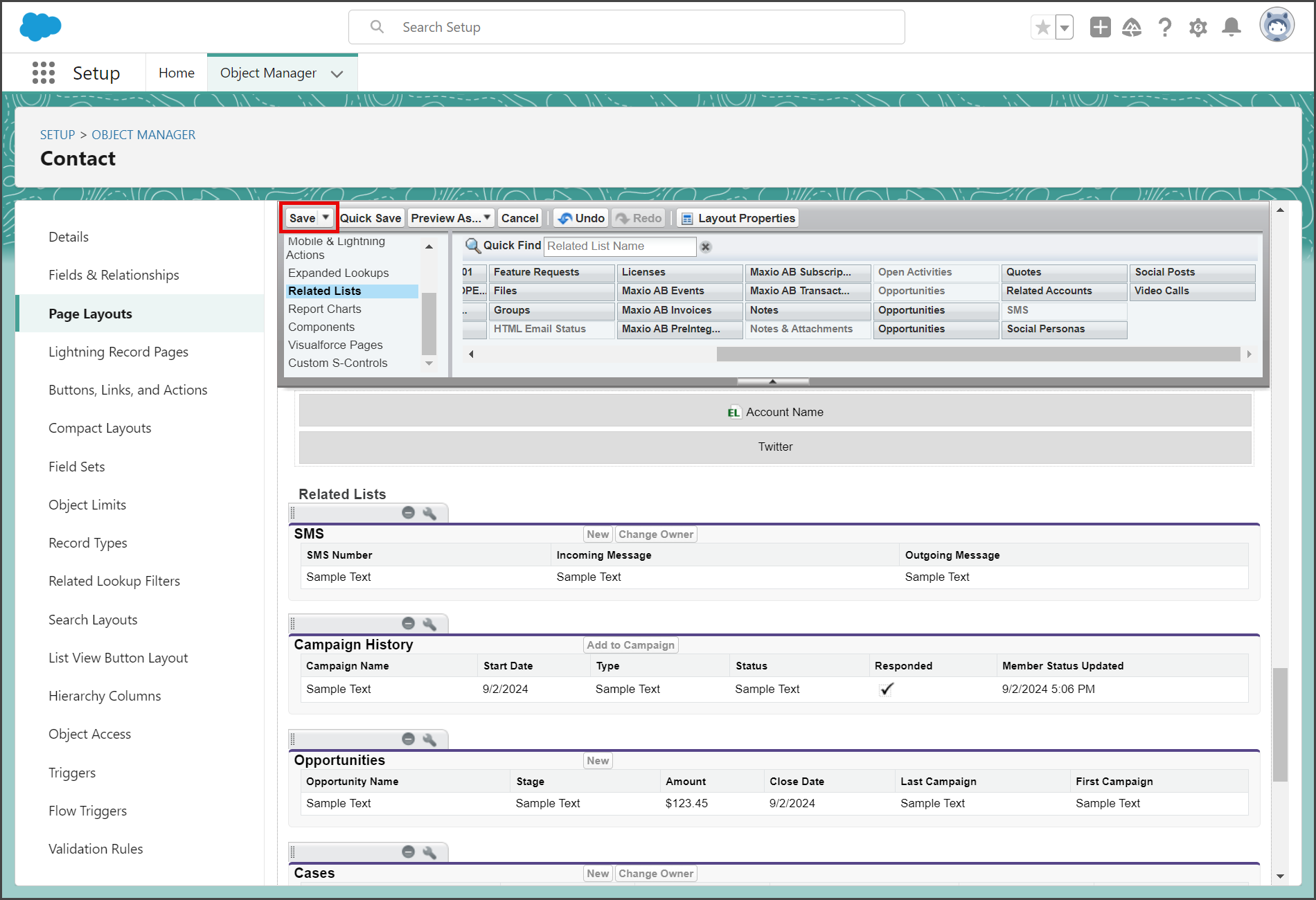
- This example adds the Incoming Message and Outgoing Message fields.
- Click OK to save your changes.
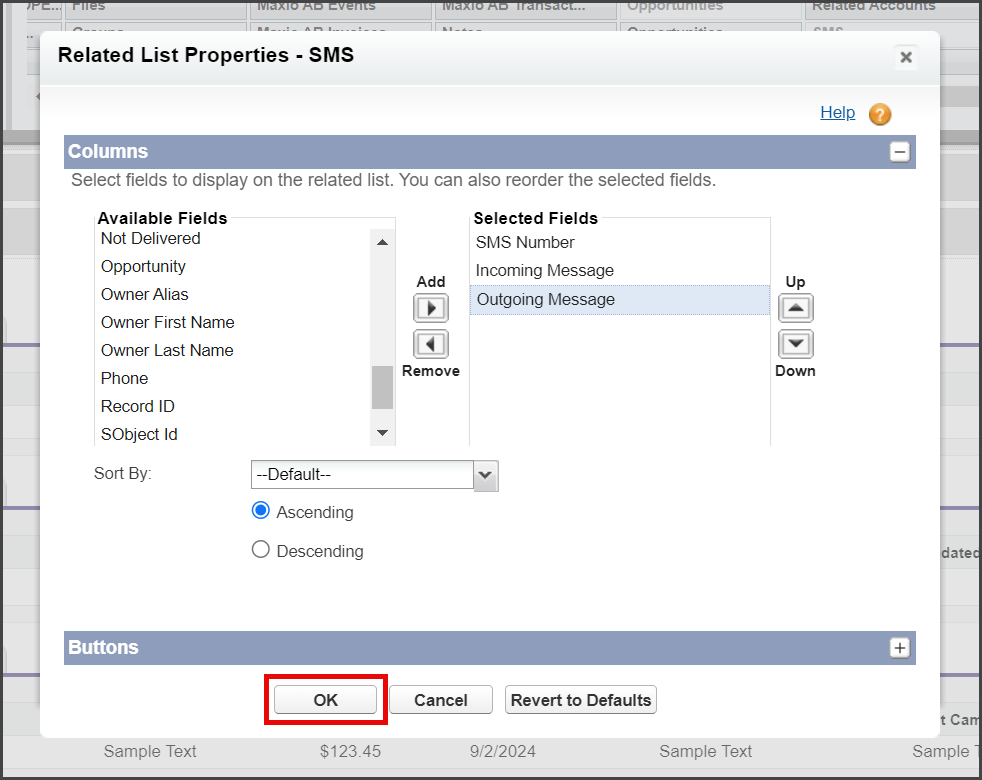
- Add or Remove any of the Available Fields.
- Click Save in the Contact Page Layout Tool Bar.
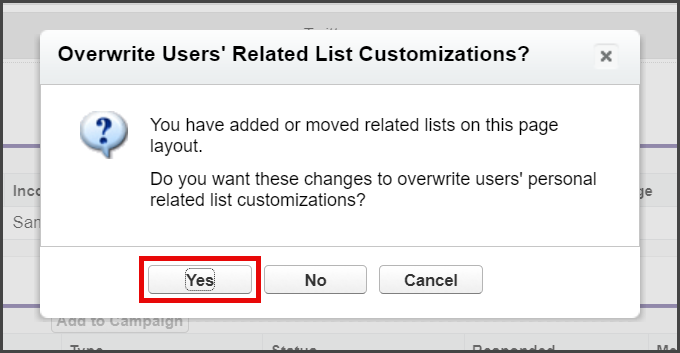
- Click Yes on the Overwrite Users’ Related List Customizations window.
- Return to your Contact’s page to view the SMS activity you added.