
Salesforce
TrueDialog Integration

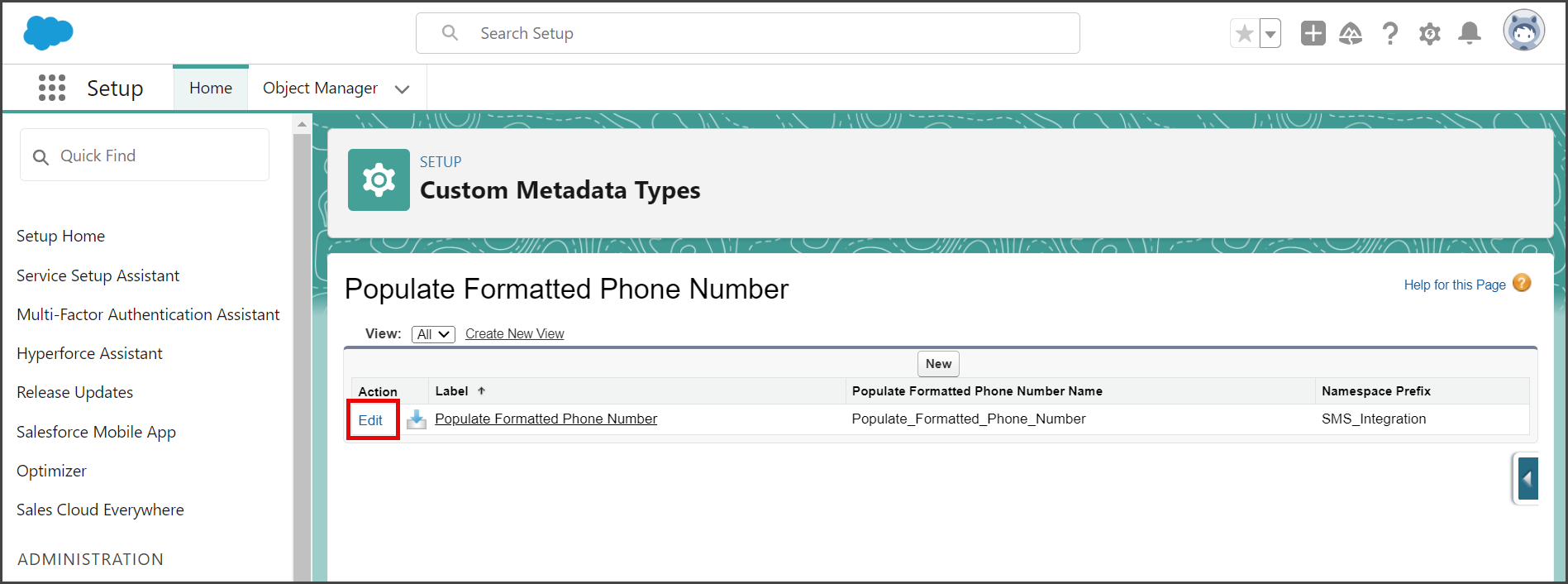
The Populate Formatted Phone Number Custom Metadata Type is activated every time a standard object record is saved. Turning off this Custom Metadata Type is necessary if your import fails because of a conflict between your import process and this trigger. The instructions below show you how to turn off this Custom Metadata Type.
Disable Trigger
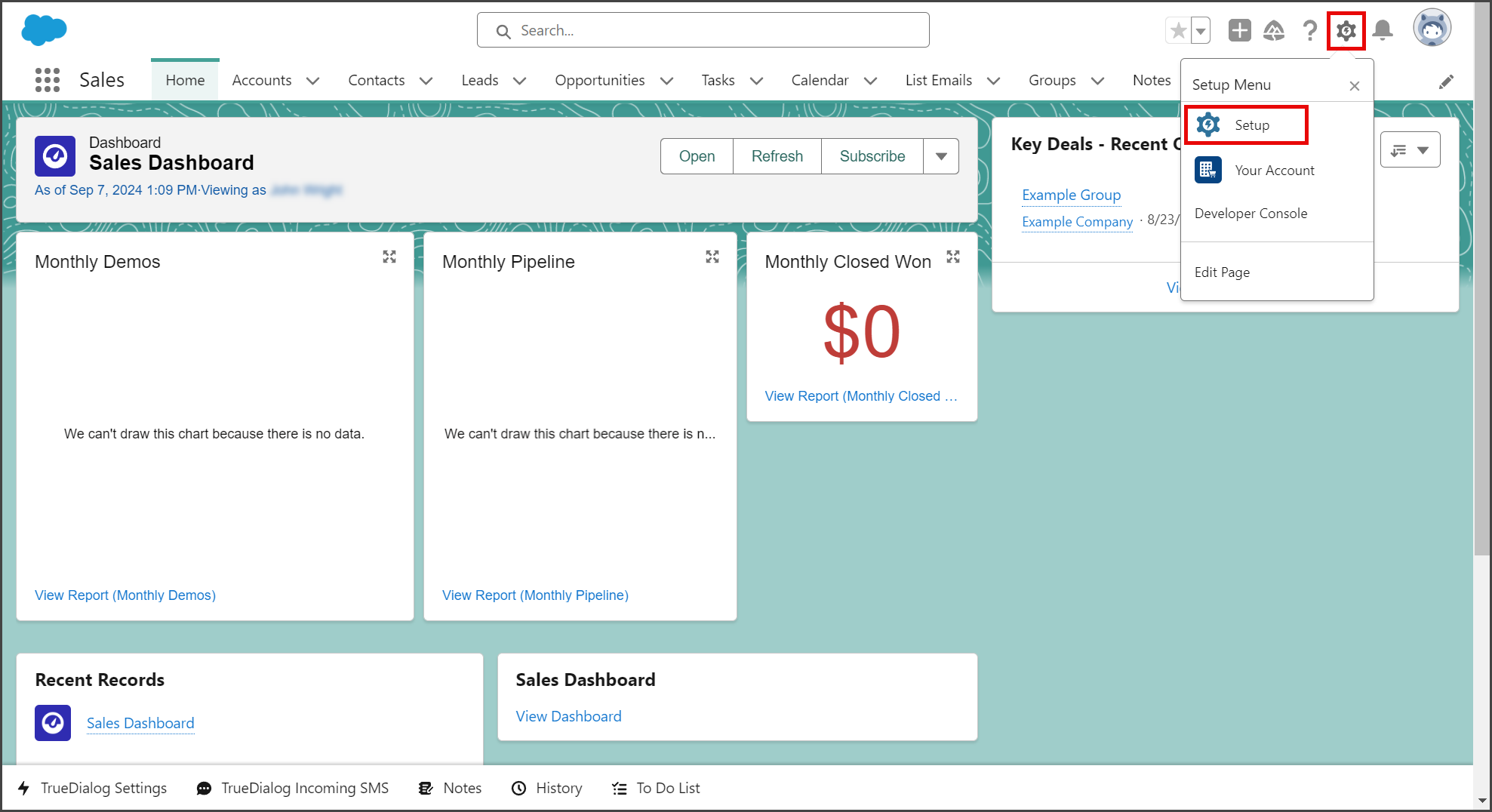
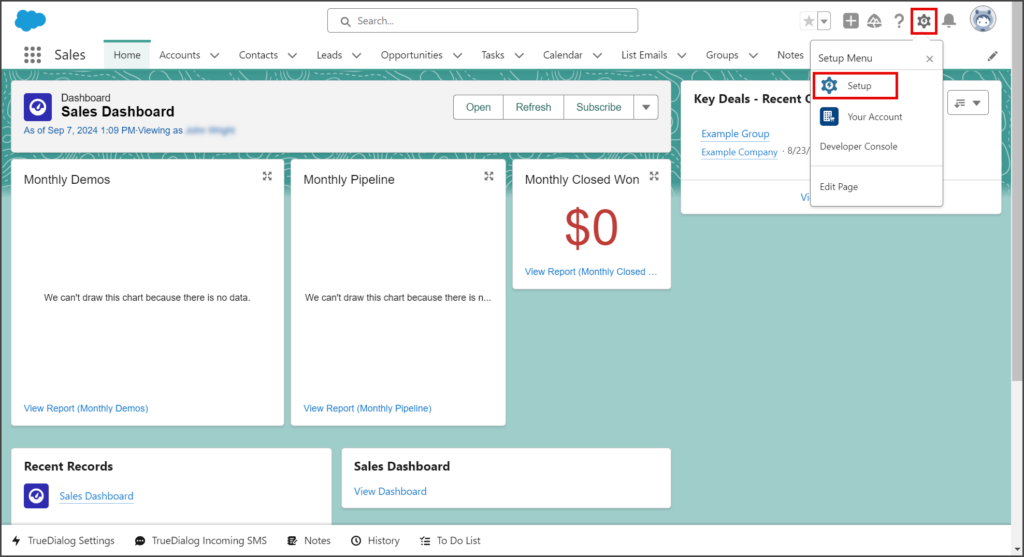
- Click the Settings Gear icon to open the settings menu.
- Click Setup.
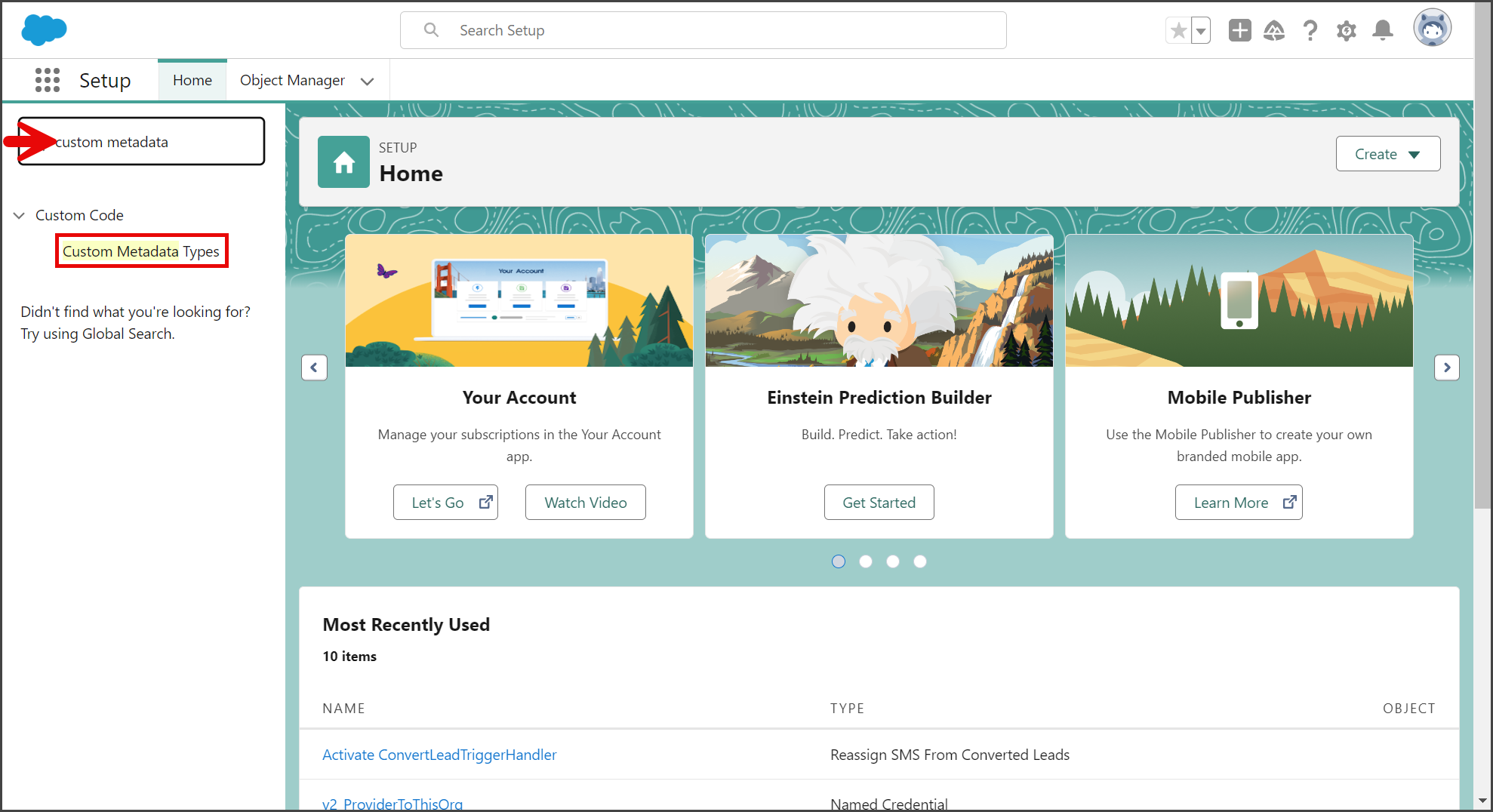
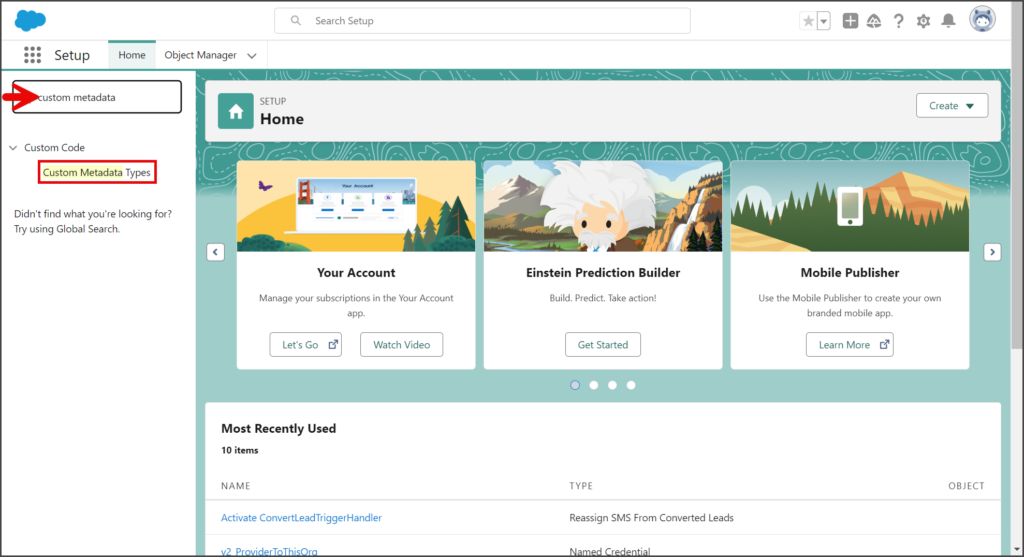
- Enter custom metadata in the search box.
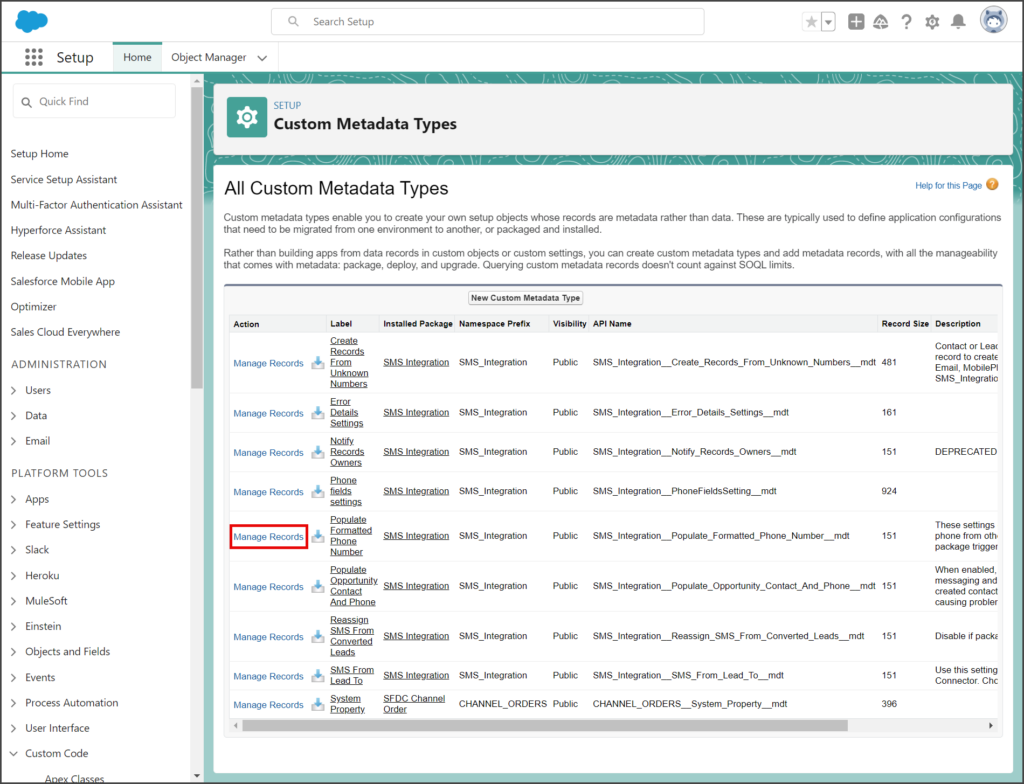
- Click Custom Metadata Types.
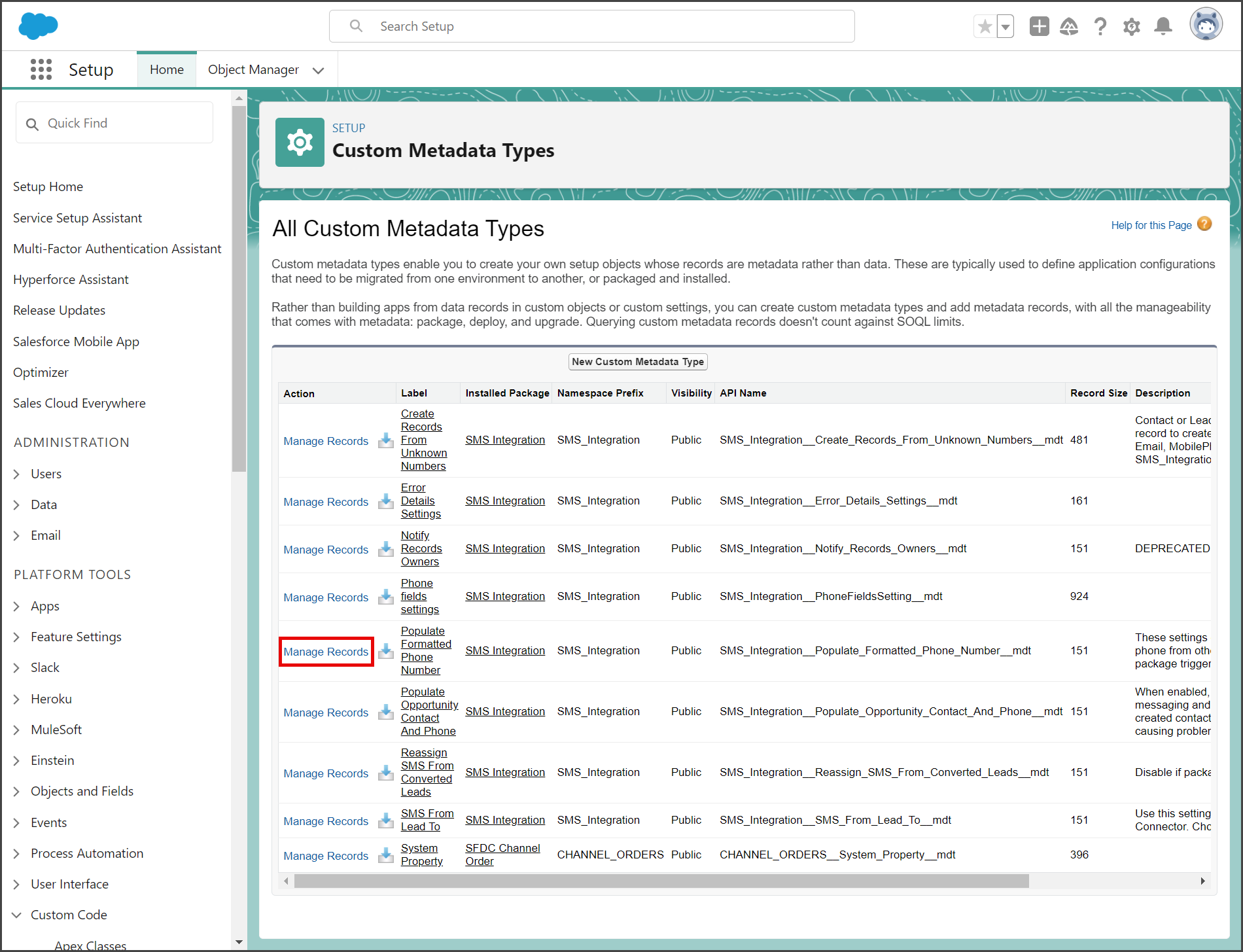
- Click Manage Records on the Populate Formatted Phone Number row.
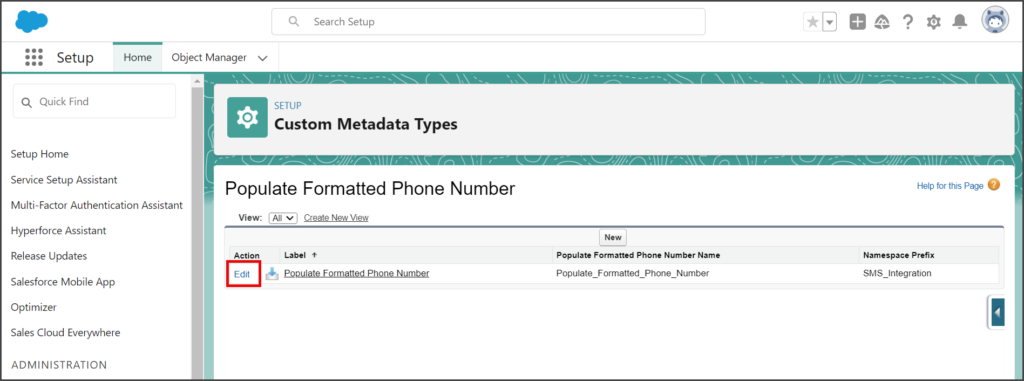
- Click Edit on the Populate Formatted Phone Number row.
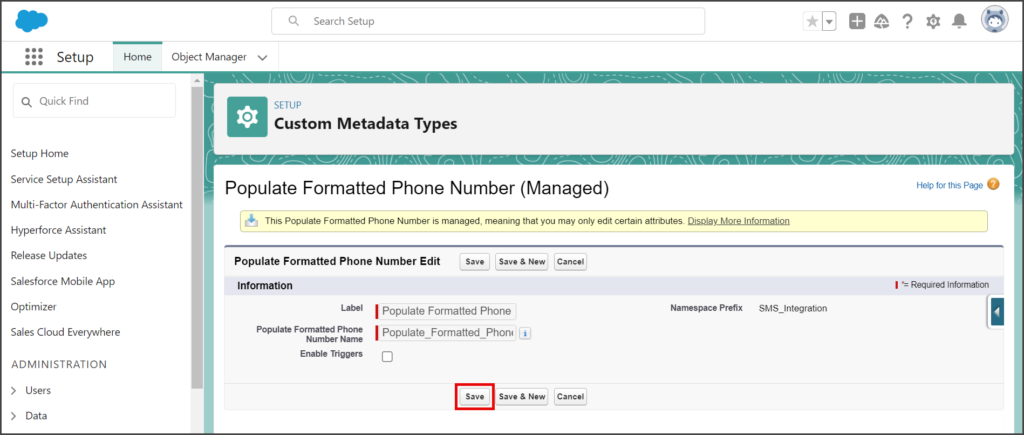
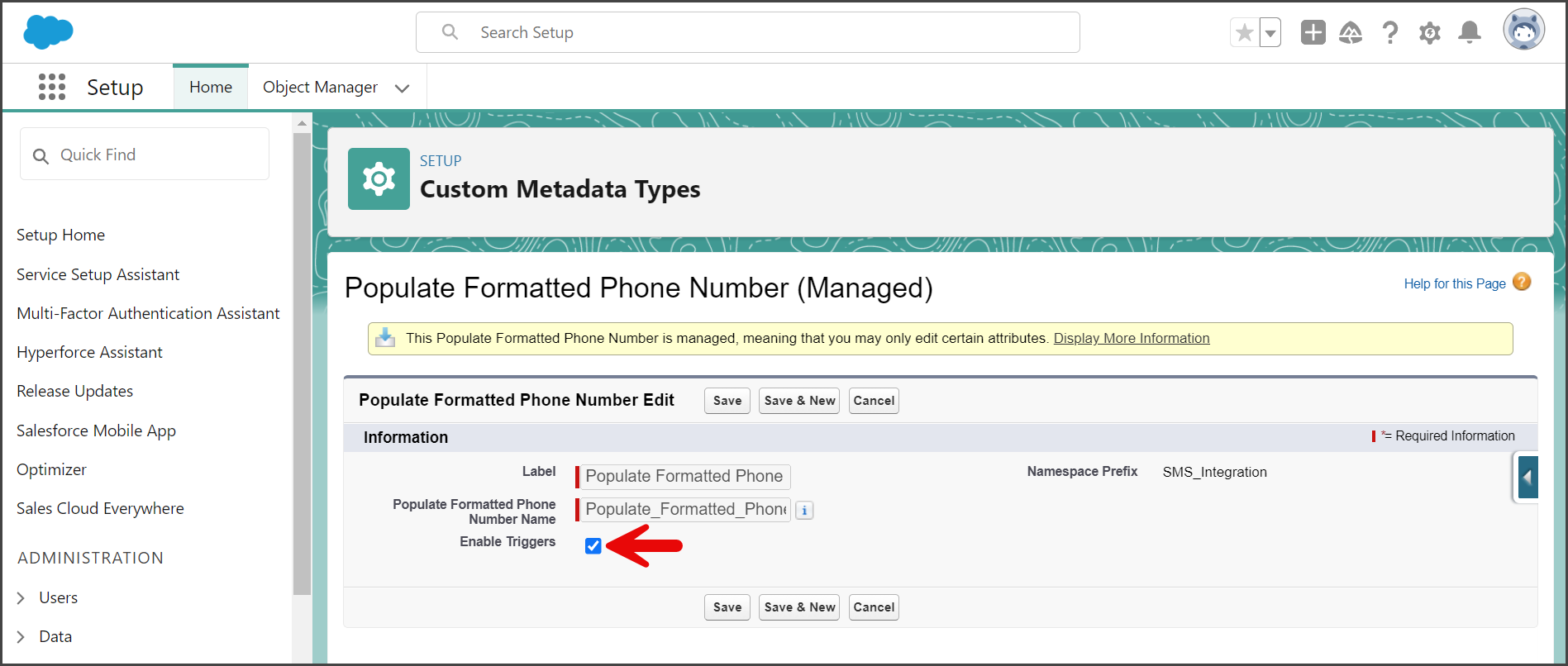
- Uncheck Enable Triggers to disable this trigger.
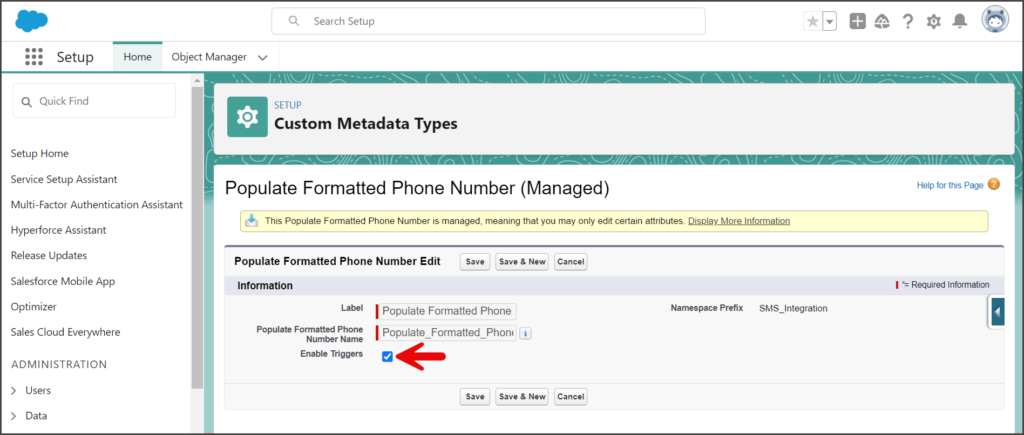
- Click Save.